This post will be the first of a few showcasing several of the great new features that NETSCOUT has given to us via their brand new LinkRunner G2.
Building on an already solid foundation, NETSCOUT has recently released the next variation of the LinkRunner rich with new features, all running on Android. Many of the rock solid testing features we have come to expect from NETSCOUT have been expanded in the LRG2.
The LinkRunner G2 is very close, if not exactly the same form factor as it’s brother the AirCheck G2. On the right hand side of the device you will find two volume buttons, a mini SD card slot, and a micro USB connection. Flipping the LRG2 over, you will see that there is an LED flash(light) and also a camera.
The top of the device has one SFP slot which will accommodate most any SFP module, a copper 10/100/1000 Mbps ethernet port and another USB port which can be outfitted with a wireless USB device. At the time of this post, the only wireless device that works with the unit is a single band Edimax adapter. There is no integrated wireless adapter. The power button is located in the same position as the AirCheck G2’s power button. Charging the unit is done from the same spot as the AirCheck G2 ANDvia POE over the wired ethernet port on the top of the unit.
When you first fire up the device the user interface is very familiar to anyone who uses an Android device. The screen and menus are laid out very similar to an Android phone. The bottom of the screen has the familiar NETSCOUT logo which is a button that opens the LinkRunner’s native testing features. You will also notice that there is an App Store which is populated with a handful of familiar apps. I’ve been told that if there is an App that is not in the store, you can request it be added as long as it is free. Some of the familiar apps you will find are Microsoft Office, Wifi Analyzer, Meraki, UniFi, Aruba Utilities, and AirDroid to name a few.
The device is targeted to field support staff who can use the unit to receive trouble tickets via email, web, etc and a then perform several different troubleshooting steps, gather data, and ultimately upload the results of the tests to LinkLive for further analysis.
When tapping the NETSCOUT icon in the center of the bottom of the screen, you open the LinkRunner menu.
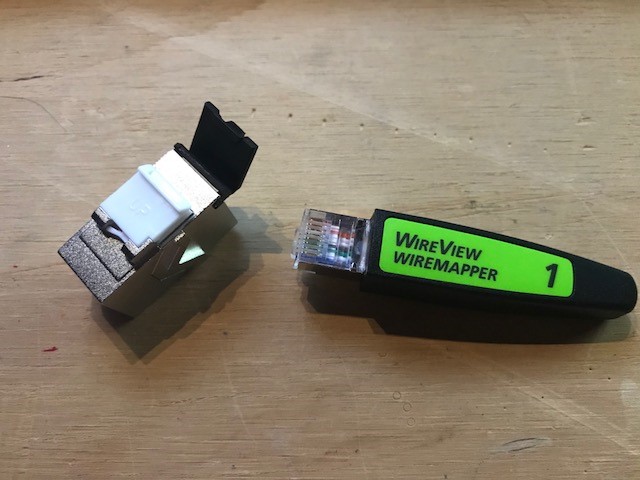
You are presented with three options near the top of the screen when the LinkRunner menu opens; Switch, AutoTest, and Cable. Selecting “Switch” will give you information such as the port the device is connected to, the VLAN tag, port speed and duplex, and POE information if it is available. “AutoTest” takes all of the information from the “Switch” menu and expands on it. The information in “AutoTest” is similar to what you would expect from a LinkSprinter except much more detail. I will dive a bit deeper into these tests in future posts. The “Cable” menu performs a continuity wire map test on each pin as well as a TDR on each pair. The wire map is accomplished using the included WireView Wiremapper. The TDR function is a great addition which will help determine distance to faults.
This is a very high level overview of a select few features and tests that the LinkRunner G2 can perform. As noted earlier, there will be future posts that go into greater detail of some of those features. The LinkRunner G2 will be a welcome addition to any network engineer’s toolbag with it’s Android OS which is highly versatile as we already know. Being able to collect trouble call information via a web browser, running tests, taking pictures of locations or faults, and possibly doing configs of network equipment via an SSH/Telnet client make this device a true one stop solution for any engineer. I look forward to further enhancements and developments to the LinkRunner G2 which will make it an even more versatile tool.
We had the opportunity while visiting with NETSCOUT at Mobility Field Day 2 to get a sneak peek of the v2.0 firmware for the G2 (yes, firmware; no need to purchase new hardware). Many of us were very excited to see some of the newly added features and it seems as though there is even more room to grow in the future. What we have come to trust as one of our favorite go-to tools in the wifi toolbag has only gotten more powerful and useful. I am not going to go into a deep dive of each of the features that Chris Hinsz showed us but I will share the links because he does a way better job explaining it (because he is the Product Manager of course).
Notable features in the v2.0 release are iPerf, captive portal support/testing, interferer identification, and packet captures. Also introduced was the NETSCOUT “Test Accessory” which will function as an iPerf server and can be placed anywhere there is a network connection with POE.
The additional features that are being introduced show that this product is as versatile as ever and should increase the confidence of its user while deployed in the field.
Here is the link to download the new v2.0 firmware.
Video from MFD2 featuring Chris Hinsz, Product Manager at NETSCOUT
A few weeks ago at Mobility Field Day 2 I was afforded the opportunity to listen to a presentation from the fine people of NETSCOUT (all capitals because that is how Kendall Hershey told me it should be). It was somewhat of a reunion for Brennan, Rob, and myself as we had established a relationship with NETSCOUT and their Social Media Manager, Kendall Hershey, at Cisco Live 2016 (shameless blog plug) . It was great to see her again as well as take a deeper dive into the NETSCOUT product line, especially the AirCheck G2.
Chris Hinsz, NETSCOUT Product Manager, was the main presenter and he gave a nice overview of the NETSCOUT product line, more specifically the beloved AirCheck G2. Many of us WLAN professionals use the AirCheck G2 at our day jobs and have come to love the simple yet powerful tool. Chris went on to offer a closer look into what makes the AirCheck G2 so great as well as some lesser known tips and tricks. Check out the presentation here.
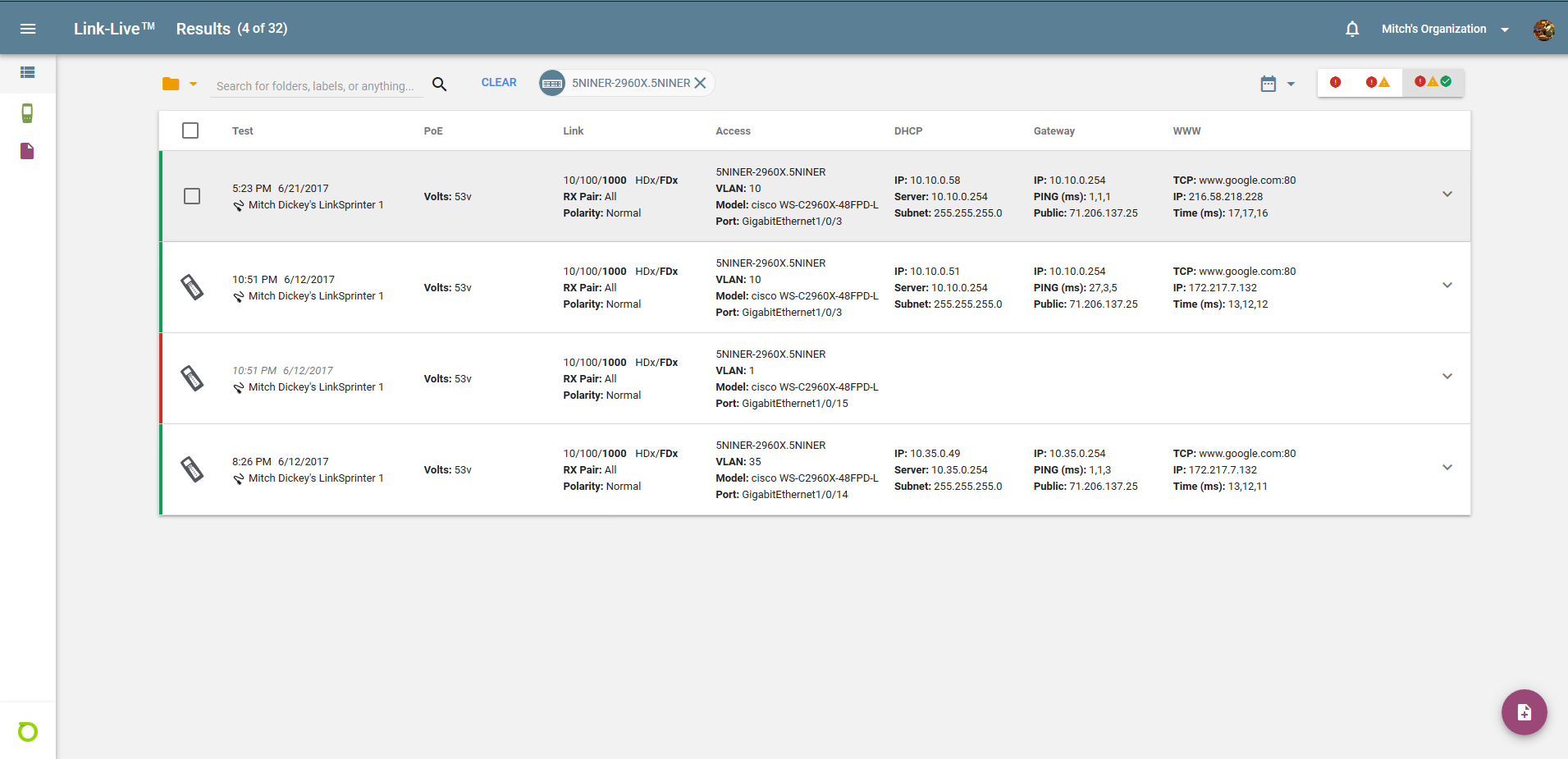
Chris also gave us a quick demo of the Link-Live dashboard. The Link-Live dashboard is a clean, easy to read area where you can collect the information that your various NETSCOUT tools gather. I have had the opportunity to use the Link-Live dashboard with my LinkSprinters for some time and I appreciate the simple layout. I can quickly get the information I need with a quick glance. The dashboard organizes your tests into a table and allows you to make annotations, as well as create reports from the collected data. NETSCOUT has definitely spent some time refining the layout making it easy to get the information you need from your test equipment.
I have been drooling over the AirCheck G2 since it was released. We recently purchased one for work so I have only recently had the opportunity to use it on a regular basis. I love the features of the G2 especially the touchscreen and well laid out menus. The testing features are straight forward. The G2 is hands down the first device we go to when we get called out for wireless issues. The G2 saves us a significant amount of time troubleshooting. Before the G2, troubleshooting wireless issues took much longer. These handheld testers bring you to a solution much faster with the information that they supply. I personally own the G2’s predecessor, the **Fluke AirCheck. The original AirCheck is still very useful to me because it is able to extract a Meru/Fortinet/FortiRu AP ID out of a beacon’s information elements. This makes it very easy for me to identify an AP that is a member of a Virtual Cell (virtual BSSID). I still love my original AirCheck for this reason, but mostly because Kendall Hershey gave it to me. I am told that they will look into adding the FortiRu information element to the G2 in the near future.
Gratuitous NETSCOUT AirCheck G2 product placement by Brett (@crabby_fi)
The AirCheck G2 has been, and continues to be, a staple in the WLAN professional’s bag of tools. The NETSCOUT product line is built on a solid platform and is sure to deliver for the foreseeable future. Anyone who uses a G2 will let you know how much it enhances their troubleshooting experience. Issues that may have previously taken a few hours to figure out are easily diagnosed in a much shorter time period. NETSCOUT is another one of those companies who I hold near and dear to my heart because they listen to their customers. I am looking forward to what NETSCOUT has coming in the future.
**On July 14, 2015, the following products from Fluke Networks were merged with NETSCOUT Systems; Visual TruView™, OptiView® XG, OneTouch™, LinkSprinter™, LinkRunner™, AirMagnet™ and AirCheck™. Fluke Networks continue to retain the DTX CableAnalyzer™, Versiv Cabling Certification System, LinkWare™ Live and Telecom products.
I recently had the opportunity to listen to a presentation from Mist Systems at Mobility Field Day 2 in San Jose. At first glance/listen Mist might sound like just another controller-less “cloud” wifi solution that touts a shiny dashboard and user analytics. They even toss around trendy new buzzwords such as “AI” and “machine learning.” I was pleasantly surprised to find out that they are much more than that!
Mist is relatively new to the wifi game but their short lived heritage is backed by staff who have worked for the likes of Cisco, Motorola, Symbol, Airespace, Zebra, and Ubiquiti to name a few. As you can tell their staff are seasoned professionals that have worked with companies with a very solid track record. With a list of leaders like this I was confident they would be able to do wireless well, but I was still curious what would differentiate them from other offerings. It didn’t take long to realize their pedigree and vision, when put together, sound as if they can break through the often “cloudy” (pun intended) traditional stalwarts. Their current customer base is impressive, including several very large organizations that span several different verticals.
After a few moments into the introduction given by Jeff Aaron, you realize that Mist isn’t just another controller-less wifi company. Jeff pointed out that Mist has two main objectives:
Bring wifi into the modern smart device era by:
giving data that allows an engineer to be proactive
providing predictive recommendations
allowing better visibility into the user experience
not traditional network visibility, but focus on user experience
making wifi more predictable, reliable, and measurable
Expand wireless. Make wifi work for you. Wireless as a Service
in addition to wifi, providing an indoor personalized location based experience
Next to speak was Bob Friday. Bob has a rich history of providing location based services in the wireless environment. Bob was co-founder of Airespace, a wireless networking company who was the first to offer integrated location based services in their products. Bob went on to explain that wireless has transitioned from just providing wifi into an “end to end” service. Bob made it very clear that the Mist location services were built from the ground up and that it wasn’t just a “BLE laid on wifi” afterthought.
One of the coolest things I got from Bob is that Mist actually employs data scientists to analyze the data that is collected. He said that Mist has Particle Physicists and professors (you know, people who are actually good at sifting through data) going through and helping with design of the Mist product. We have all seen a nice dashboard that is spewing data all over the place. The data may have a nice presentation but is often to much or to little, and then all wrapped up in a pretty box. It is clear that Mist wants the data to be clear and easy to read, as well as useful.
Mist really seems to be ahead of the game with their vBLE location services. It didn’t take me long to realize that there are many use cases spanning several verticals for virtual beacons. App developers can use these virtual beacons to interact with applications designed for all sorts of devices. Applications can use location data to relay relevant information to the device owner based on the location of the device. Some examples include way-finding at your favorite ball park or sending offers or discounts to a customer when they are near a particular product in a retail store.
Mist’s dynamic packet capture is something I think is an absolute game changer. Mist is able to leverage it’s services to detect problems on the wireless network and then collect a packet capture in real-time. We have all been called out to troubleshoot problems at one time or another and by the time we get to the site, the problem has disappeared or changed. When Mist detects an issue, it automatically starts a packet capture. Being able to gather packets immediately when a problem is detected can potentially solve a problem in a matter of minutes where in the past it may have taken several hours.
One other notable feature is Mist’s ability to give meaningful and measurable data that makes it easy to show whether or not Service Level Expectations (SLEs) are being met. Based on the information given in the dashboard it is easy to tell which clients are having trouble connecting or are failing to connect. Being able to evaluate access point health, coverage, capacity, and throughput are also a major advantage for any wifi engineer and are all easily found in the dashboard.
Overall, I thought Mist was very impressive. They are doing things with their product that can make life as a wifi engineer easier. There is no better judge of a wireless network than the actual user experience and it is obvious that is where Mist is focusing their efforts. I am familiar with BLE but overall I am generally “green” and have lots to learn. What I do understand about Mist’s vBLE is that it has potential to be very powerful. I plan on digging a little deeper into vBLE when I get an opportunity. Having listened to Jeff Aaron, Bob Friday, and Sudheer Matta, I can tell they are confident and passionate about Mist. I am hoping to hear more from them in the near future. For now, please watch their presentation from Mobility Field Day 2. There is a lot more impressive information in their presentation. I hope you find Mist as intriguing as I did.
Check out what other #MFD2 delegates are saying about Mist:
The excitement for MFD2 has been building for awhile now and I can tell you we are in store for a great couple of days. I have been looking forward to this event since I accepted the invitation to be a delegate a couple of months ago. After coming together for dinner tonight as our first time as a group, I am even more excited for all that is in store.
I have had a chance to play around with one of Mist’s APs over the past couple weeks and I found it to be very intuitive and easy to set up. It took no time at all to get an SSID on the air and clients connected. The available data on the dashboard is very helpful/useful. I am looking forward to getting a deeper dive into the BLE features of the device.
Mojo Networks, formerly AirTight, has gone through several changes over the last couple years. They have changed their direction and I am looking forward to hearing more about their plans going forward. They had an excellent presentation at WirelessLAN Professionals conference this past February.
Cape is a company that I am not real familiar with yet and I am very interested to see what they have lined up. I did see their presentation at WLPC but haven’t had a chance to work with their gear yet.
Another company that I am really looking forward to hearing more from is Nyansa. From what I have seen, they are able to take wireless client data and present it to an engineer in an easy to read format to get a better understanding of what is actually going on in the wireless network. You can find their presentation from WLPC here.
The AirCheck G2 is our go to tool in the field when a wireless problem is reported at work. I am excited to hear what they have in the pipeline for the future. I am also pumped that we get to see our good friend Kendall Hershey. A couple of us had the pleasure of meeting and hanging out with her at Cisco Live 2016. Her and I both missed this year’s Cisco Live so it will be cool to see her again.
Being able to watch and listen to presenters at previous Wireless/Mobility Fields days and interact with the delegates was something I looking forward to. With this being my first MFD, I would be lying if I said I wasn’t a bit nervous but I am with a great group of professionals so I am sure it will go great! I am very excited for the next two days as they will be packed from the beginning of the day until the end with all kinds of great information and maybe some surprises.
Please feel free to follow along on the Mobility Field Day page here.
Please also feel free to interact with me or any of the other delegates listed in the above link. Interacting with the delegates was almost as fun as listening to the presenters in my past experiences. If you have any questions you would like to see asked of the presenters, feel free to reach out to any of us delegates via Twitter. Make sure to also use the hashtag #MFD2.
In the weeks to come I will be releasing blog posts about the presentations so make sure to check those out when they are released.
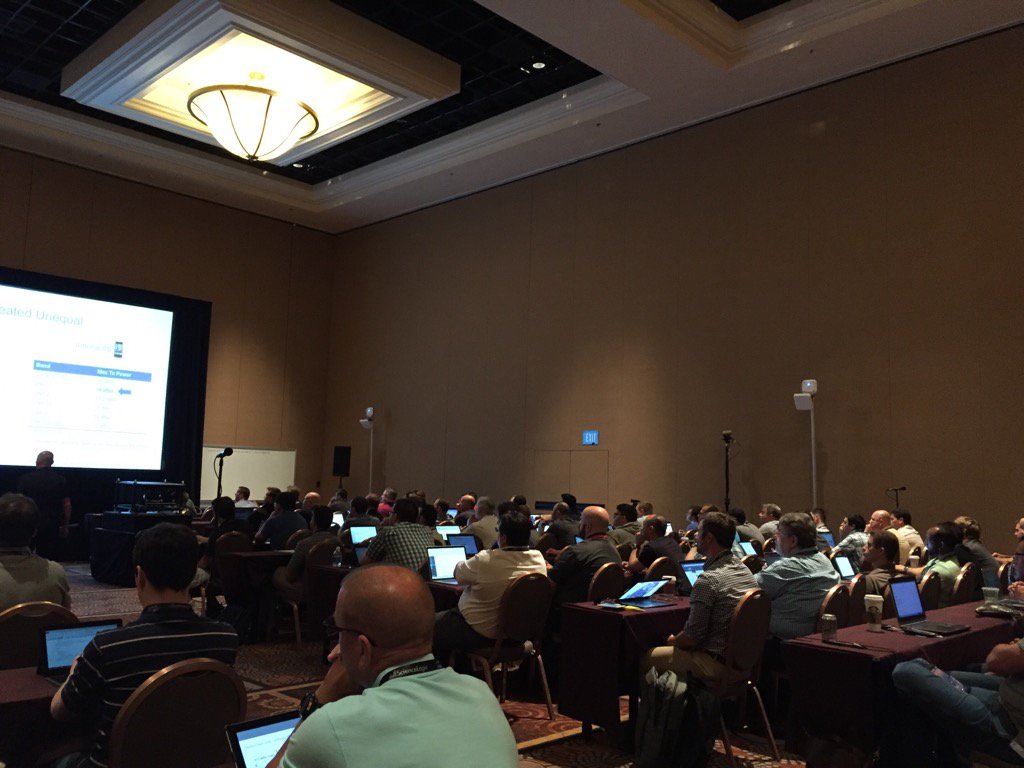
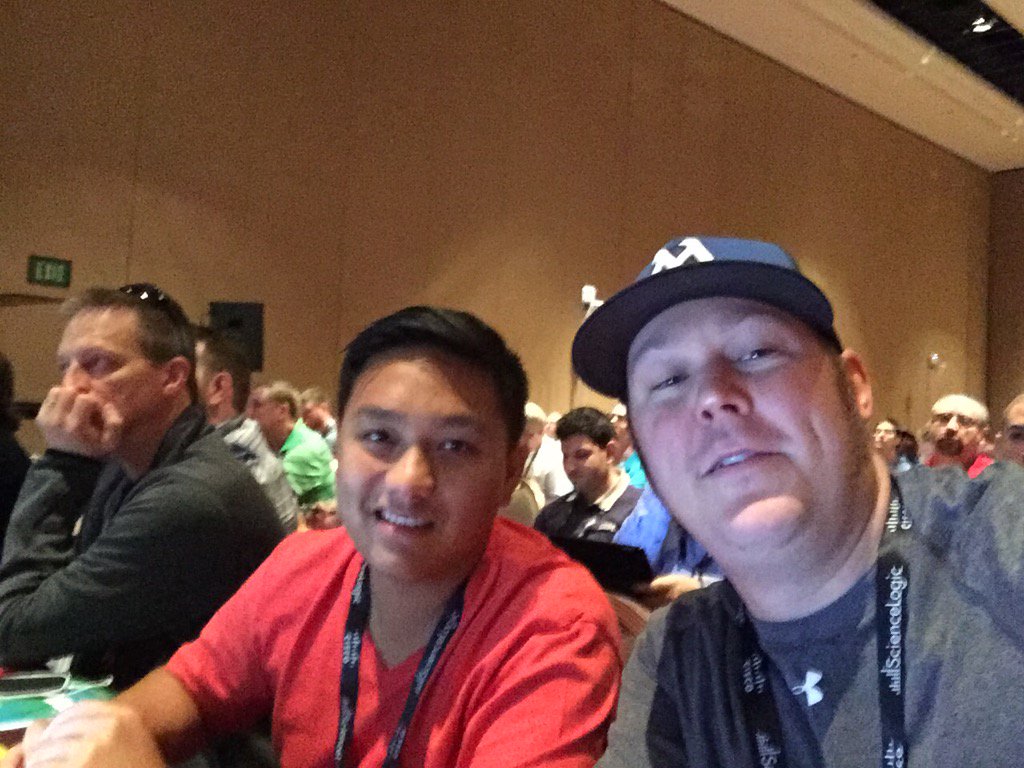
It has been a couple weeks since I returned from WLPC in Phoenix. It was a great trip down to the southwest which included catching up with some good friends, listening to great presentations, learning a lot, and also presenting on a topic near and dear to my heart. I was able to put a lot more names to faces and have some great conversation.
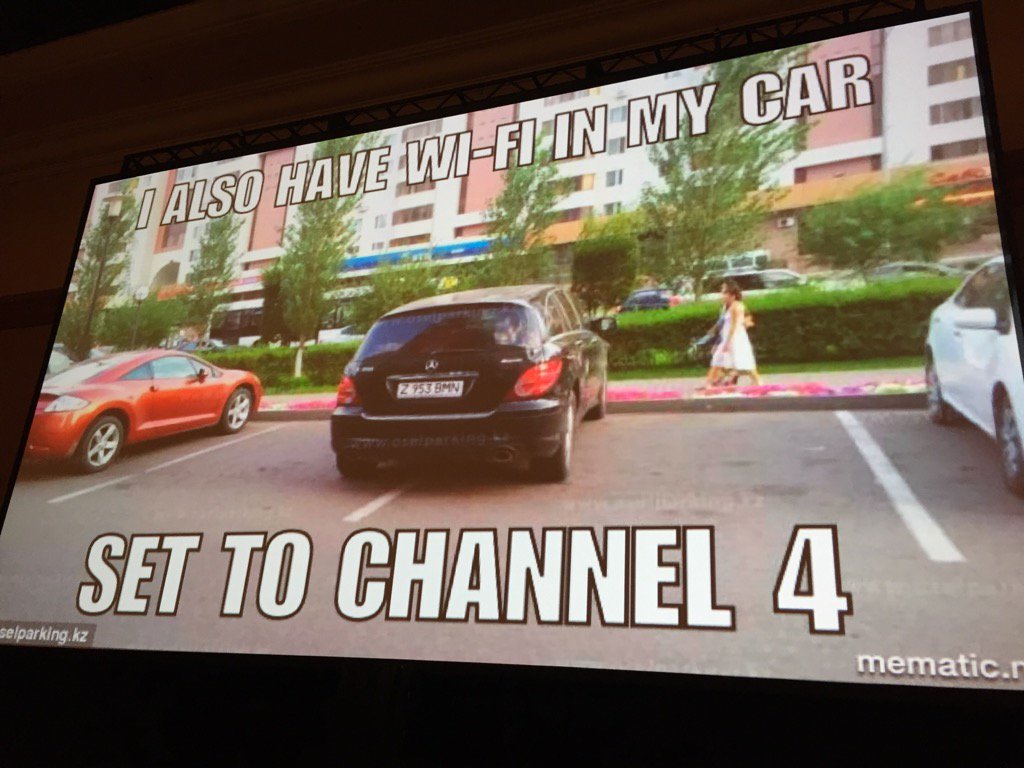
As many of you know I presented on how well single channel architecture works for us. You can find the video below:
I have received mostly all positive feedback on the presentation. It was a great opportunity for me to speak in front of a large crowd and give examples of how we have Meru deployed across our school district. As well as it went, I feel like I need to explain a few things. I have come to the realization that a Ten Talk may have been the wrong platform to discuss the topic at hand. I understand that most people wanted more information about SCA rather than “it just works for us.” Ten minutes was simply not enough time to discuss all of this.
First, I understand that being a large network doesn’t equal wired\wireless networking done right. Even though this wasn’t conveyed in the presentation, I have received feedback indicating as such. Although we are very proud of how large and successful our network is, it doesn’t mean that large = successful. A lot of time and effort goes into making a wireless network work well for 60,000 users on average every day. We all know that architecture doesn’t matter if you don’t define, design, implement, and validate.
Second, I gave some confusing information. I realized shortly after the presentation that the stat showing that we “average ~12 connections per AP county wide” was very vague. Some of our access points have upwards of 100 clients on them at once for an extended period of time. Some of our access points have 10 clients total (maybe less) in an entire day. It doesn’t matter whether there is 30+ clients on an AP during every class or another AP that sits unused for the majority of the day. If an AP was placed in a location, it was done there with the intent that wifi could be needed at any point of an instructional day; planned or un-planned. The opinion that there are too many APs or not is irrelevant. Unless you have actually visited our schools and used the network, you won’t know. The proof is in the pudding so to say.
I know that most of us consider our wireless networks as mission critical. The vast majority of our schools don’t have desktop computers other than in administrative areas. Many of our schools don’t have computer labs, but employ several carts of mobile devices. I know that most of us want NUMBERS to back up the user experience, but most of the time I don’t have time to get this type of information. If reports of “wireless problems” are low or non-existent and teachers are able to complete their instruction using mobile devices and be successful, our mission is accomplished. I know a lot of you won’t be happy until you see NUMBERS and that is fine. I am going to try real hard to get some of those and put them out there. To be perfectly honest, I don’t know if some of you will believe it then, and that is fine too.
I understand many of the things that have been said as far as physics, airtime consumption, high density, etc. I don’t necessarily disagree with some of the opinions. You may be absolutely right! The thing that is somewhat discouraging is that there are a lot of opinions based on no experience or an experience that was several years ago. Don’t get me wrong, the first time I saw virtual port, even with my limited wireless knowledge at the time, I couldn’t believe it would work. A lot has been improved upon since then with virtual cell and especially the equipment. I’m not saying Meru will beat another vendor head to head every time, but I bet it will sometimes! Does it really matter how many jigabits we can ram through the air or is it more important for a user to have an experience where they don’t even notice the wifi? A user sits down, opens their laptop, completes a task, closes the laptop and moves on without even acknowledging the presence of wifi. The wifi just works. Please understand, I am not trying to discount numbers such as channel utilization, retries, available bandwidth, etc. Those are all very important things to consider in a wireless environment. We all look to those numbers first when trouble is initially reported. Those are the numbers that give us a baseline to begin troubleshooting. They are absolutely critical to a successful wireless deployment.
Obviously interest has been piqued since the presentation. It has been fun, most of the time, discussing various aspects concerning single channel vs multi channel environments. I have heard a handful of different people give a handful of different explanations on what Meru’s special sauce is, and they are all different. There isn’t a ton of information out there concerning the “magic” of Meru but if you are truly interested please watch any video by Dr. Bharghavan, founder of Meru networks. Many of these videos are a few years old, but still offer great information. To be honest, I need to re-watch most of them as I get tangled in the “it just works,” sometimes. Below are a handful of videos.
If you want to catch the videos later but still want to read the conclusion, please scroll down.
Meru Networks Wireless Virtualization Architecture – Part 1
Meru Networks Wireless Virtualization Architecture – Part 2
Meru Networks Wireless Virtualization Architecture – Part 3
Contention Management Schemes: Part 1 – Single / Multiple AP
Contention Management Schemes: Part 2 – Multiple APs
Maximizing Air Traffic – Part 1: Maximize Channel Reuse
Maximizing Air Traffic – Part 2: Simultaneous Transmissions
Leveraging Single Channel Architecture for Multiple Channels
A Little Dated But Still Good
Very High Density Wireless LAN Demonstration for BYOD: #1
Very High Density Wireless LAN Demonstration for BYOD: #2
Conclusion
For those of us who went to WLPC 2017, we heard more than one person mention that wireless networking can be done in more than one way. We also heard that less than ideal practices may be employed against our better wireless judgement due to other factors such as politics, aesthetics, etc. Sometimes I think we need to remember that just because someone does something different doesn’t mean that it is wrong. We also need to remember that just because we don’t like a technology it doesn’t mean it doesn’t fit someone’s need. I need to remind myself of this from time to time. We deploy wireless networks, in schools, mines, warehouses, large refrigerators, outdoors; you name it, we put wifi in all kinds of places. Our ultimate goal should be to use the knowledge we have to deploy a wireless network that gives a reliable experience to the greatest number of users.
The countdown is on. There is less than a week until the Wireless LAN Professionals conference in Phoenix, Arizona. This will be the first WLPC that I attend and I am really looking forward to it. I am in the process right now of completing a presentation for a TEN Talk that I will be doing during my stay in the desert. I am looking forward to seeing a bunch of guys that I met at Cisco Live, especially a group that I have grown especially close to; Brennan Martin, Rob Boardman, and Stewart Goumans #hosers. I am also looking forward to putting more faces to names with people I have talked to via social media and haven’t met in person.
A lot of things have happened since the last blog post:
Nexus 9k ToR project in our data center
Replace all Avaya equipment with Cisco 3850s one school at a time, typically 2-3 schools a week
Applied for and selected into Cisco Champions
Preparing to open two new school buildings
Presentation to staff members helping with basic wifi troubleshooting
Surpassed 5700 access points
New high score of 68k concurrent clients on the wireless network
Preparing for Nexus 7k core install
Studying and preparing for CWDP
Became a Volunteer Examiner for the ARRL
on and on and on…
As you can see I’ve been pretty busy so WLPC should prove to be a relaxing time where I can refocus on the depths of wifi. I am also looking forward to giving everyone a little taste of how well SCA works for us.
Safe travels to all you wifi peeps that I will see in a few days!
Shout out to Michael Martin at Art Expressions in Saskatoon, Canada. He has brought at least two amazing things to this world that I know of. First, Brennan Martin, aka CdnBeacon and the badger SCA logo at the top of this post. He was awesome to work with, even after bugging him with changes to logo as he was designing it. Please check out his website. I can highly recommend his professionalism and product!
We all find bugs in software from time to time and most of the time they are fixed in relatively short order…..maybe….
It is always an unsettling feeling when those bugs resurface in later versions of code after being “fixed.”
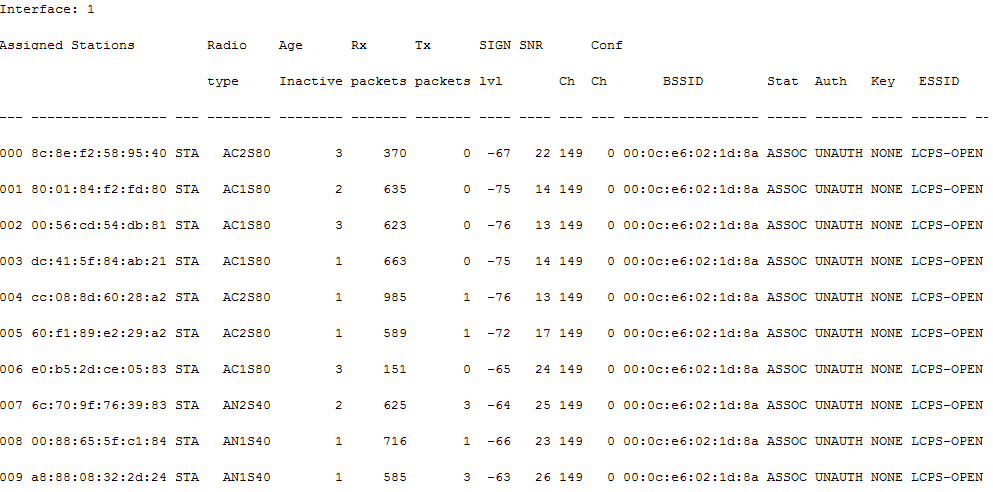
We recently received reports from a school that the wifi was “not working.” Early on in troubleshooting I could see that stations were associated to APs in the reported troublesome area. All the normal quick checks looked ok. There wasn’t high channel utilization, retries were low, the APs were not overwhelmed with clients, etc, etc. I touched base with the person who reported the trouble and they informed me that the issue affected all devices and that it seemed to be in one specific area; the library. I again checked the APs via the web ui and upon quick glance everything still looked ok. I logged into the controller CLI and issued the station database command to see what the clients were doing specifically on the library access points. And then it got cold……..
Station database showing the dreaded TX freeze
As you can see in the graphic above the TX packets are few or none at all. This problem occurred a couple years ago in later versions of System Director 6 code and was fixed with a newer release so I had seen the problem before. I took down all of the necessary information so that I could put a ticket in with TAC then rebooted the two APs in the library. Both of the APs affected were AP 832s and both were experiencing the same problem. All other APs (AP1020s) were working fine. After the reboot the APs returned back to working order.
I began putting my documentation together to submit a ticket when we received word that another school was having wireless issues. This school was having trouble in it’s library as well. Like most of our schools, all high density areas (for the most part) are serviced by AP832s. I logged into the CLI of that school’s controller and found the same TX freeze occurring. It became obvious to me at this point that the problem was likely affecting more than these two schools. I checked a few other controllers and found most AP832s were in a frozen TX state. I started to think what the common denominators could be. All the APs affected were AP832s. All the controllers were running the same code, System Director 8.1-2-0.
And there it was….
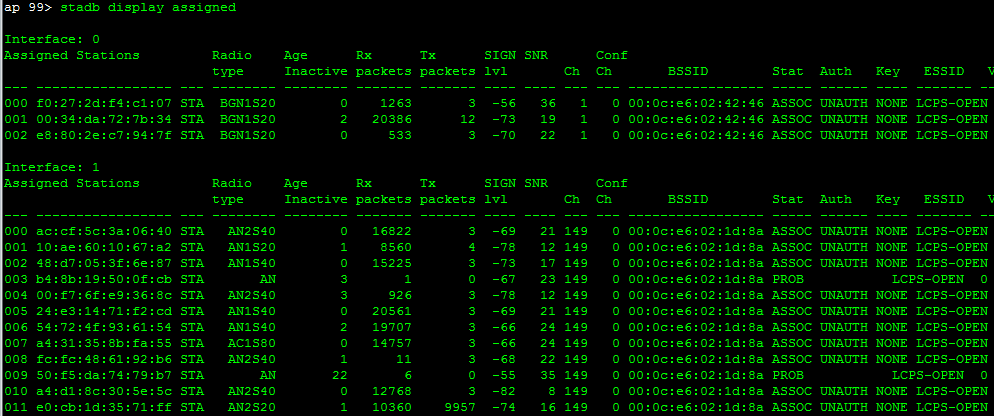
I glanced at the uptime of the AP832s on the controllers that I had up. All of the AP832s had been up for 99 days. I started going through other controllers and checking AP832s that had been up for 99 days and found them all to be in a TX frozen state as well. A few I found that hadn’t reached 99 days were still operating normally. Clearly there was a bug that reared it’s head on the 99th day of uptime.
So you are probably asking yourself why so many of the APs had reached the 99 day uptime mark at the same time. I was wondering the same thing at first and then it hit me. I had done a mass upgrade of controllers over the summer to System Director 8.1-2-0 which mostly put all of the controller/AP uptimes in sync.
We launched a preemptive strike and rebooted all AP 832s less a group of three APs at one middle school which hadn’t reached 99 days yet. We knew that if we rebooted all of the APs the issue would be resolved for another 98 days or until FortiRu provided us a fix. All of the Ap832s returned to working order.
At that point I assembled all of my documentation and submitted a ticket to TAC. We did some initial troubleshooting but they needed to have some APs in the frozen state to get the information they needed. We put the ticket on hold until our test group of three APs reached 99 days uptime. That occurred over this past weekend, November 20. When I returned to the office I checked the APs which were at an uptime of 102 days. All three were in a TX frozen state.
AP832s with uptime of 99 plus in a frozen TX state
As of right now, the issue is with TAC. It looks like we are the first to report the issue. They have all the information that they requested; logs, diags, etc so I should be hearing back from them soon. In the meantime, a quick reboot is just the ticket to thaw out the TX.
Here are a few commands I used to gather AP/radio data from within the AP CLI:
stadb display assigned
stadb display assigned -v <mac-addr>
stadb display rxq_info <client mac-address>
stadb display txq_info <client mac-address>
sys exec /wl -i radio0 msglevel err
sys exec /wl -i radio1 msglevel err
radio txqinfo radio0 (radio zero)
radio txqinfo radio1
radio txq radio0
radio txq radio1
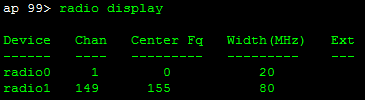
radio display
radio show radio0 (radio zero) – radio specific parameters
radio show radio1 – radio specific parameters
radio stats radio0 (radio zero) – radio specific stats
radio stats radio1 – radio specific stats
dev cmd radio0 reset – resets radio without rebooting the AP
dev cmd radio1 reset – resets radio without rebooting the AP
I was recently called out to a high school who had put in a trouble incident indicating that they were experiencing slow wireless performance and client disconnections in a particular area of the building. When I arrived I found that there was a high concentration of clients in the cafeteria which numbered around 200, 150 of those on a single Meru AP832 (clients were primarily on one side). Currently we employ AP832s (3×3 AC) in high density areas unless it is recent construction in which case the whole school is done with the AP832. The cafeteria in this high school along with all other high schools in the district qualify as high density areas and are outfitted accordingly. I fired up MetaGeek inSSIDer for a quick glance to make sure everything looked ok. I quickly noticed that I had two BSSIDs on the same channel very close in dBm on both bands, which we all know is cause for concern. My man Rowell Dionicio explains this issue well in a recent blog post at Network Computing. You might be thinking, “Wait a tick #MeruMitch! Isn’t that what single channel architecture is?” Not really. In this particular instance I experienced a bug where a handful of AP1020s (2×2 N) thought that one of two radios inside were a radio from an AP832.
Single Meru AP1020. The 2.4 GHz radio thinks it is in an AP832, where the 5 GHz radio is correct
This effectively broke my virtual cell (virtual BSSID) which in turn created co-channel contention. For those not in the know, a virtual cell is a virtual BSSID that Meru groups all of it’s physical BSSIDs behind to create it’s “special sauce single channel architecture“. Watch the video and… DON’T SHOOT THE MESSENGER!
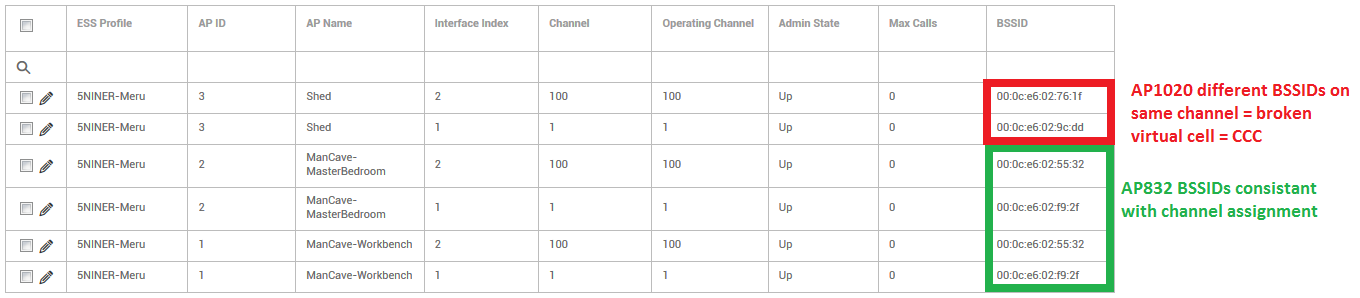
At the time I did not capture any further information so for the sake of this blog post I re-created the scenario at my house. Going forward please pretend that 5NINER-Meru = LCPS. Also the “Shed” AP was actually moved into my house for the purpose of this dramatic re-creation.
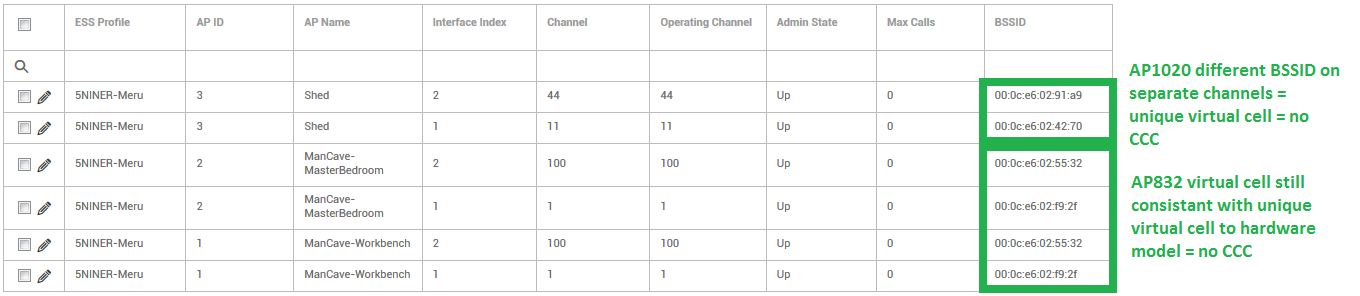
Broken virtual cell. Two AP832s on 1/100 and one AP1020 on 1/100. The AP832s retain their virtual BSSID, but the AP1020 being on the same channel creates another virtual cell which is causing co-channel contention.
There were a total of seven AP1020s which suffered from this bug and a few of them were within hearing distance of where this high concentration of clients was located. I checked the controller and found the channel utilization through the roof in this area. I removed the corrupted APs from the controller and added them back. I set all AP1020 radios back to 11/44 and AP832 radios back to 1/149. You did read that correctly…ALL. Both virtual cells were back in business.
Two unique properly configured virtual cells. Same APs as before. Two AP832s on 1/100 and a single AP1020 on 11/44.
Ok, now pick yourself back up off the floor and/or clean up the brain matter that exploded all over the wall just now when your head exploded. Brain matter on the wall is unbecoming. I digress. Once the physical radios were all back behind the virtual BSSIDs created by the ESS profile, the client’s performance dramatically improved and everyone was happy again.
You may argue that this would be simply a one off issue due to the AP radio corruption that took place. In fact, it is not. It would be very easy to have a problem like this occur with the APs working as they should in an improperly designed network. To properly design a Meru single channel wireless network you should group like model APs in their own virtual cell when in a mixed model environment. A group of AP832 AP’s virtual cell will have a different virtual BSSID from a group of AP1020 APs which in turn means each virtual cell should be assigned unique channels. They can all happily co-exist in the same ESS profile though.
Same ESS profile. Broken virtual cell causing CCC.Same ESS profile. Proper channel assignment creating two unique virtual cells.
I understand the controversial side of single channel architecture but the fact of the matter is that it works great when it is designed and installed CORRECTLY! All the same RF fundamentals, designing, deploying, etc are relevant when using single channel architecture. Poor marketing among other things give it a bad name. Taking it out of the box, racking the equipment, throwing everything on the same channel, and letting it rip WILL yield poor performance. Counter to some marketing I have read, single channel architecture is NOT for the network group that “doesn’t have time to worry about maintaining the wireless network” or “doesn’t have time to properly survey.” That is real folks! I have read or heard that garbage before. So please…I ask from my little single channel heart, give me and my precious FortiRu a chance. We definitely deserve a spot “in the ballpark” among the big boys.
As you may have already read, I broke my promise to write a post every night while at Cisco Live. Some of you may have laughed when you saw that I intended to write every night. I guess we will chalk that up to a first timer mistake. My original plan was to blog about things I learned and high points in the sessions I attended while at Cisco Live. I still plan to do that but the sessions were NOT the greatest take away of the event. Although the event as a whole and the sessions themselves were GREAT it was the people, by far, that made Cisco Live an event to remember. So, please be patient with this post. It is lengthy and I went against peer recommendation to break it up and just write one single post.
Saturday
Leaving Dulles
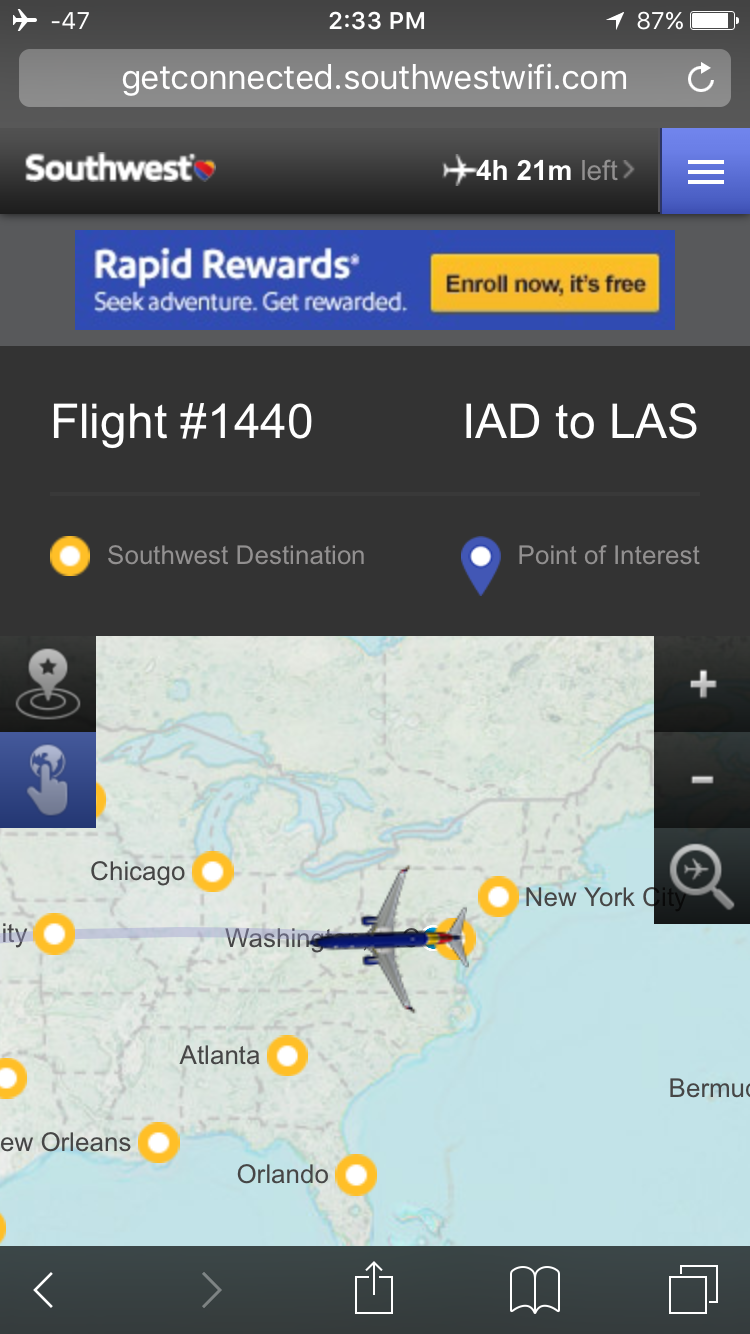
I met my buddy Brian at Dulles airport. We checked in and made it through TSA with ease. I grabbed a bite to eat and relaxed for awhile in the terminal since we had some time to burn. When our plane finally arrived we boarded quickly and began our journey. The flight to Vegas was great. I took the time to write a quick blog post about the week to come. I was also able to read through my latest copy of QST magazine and do some research on my newly purchased Icom 7300 HF radio. The flight from Virginia was roughly 4.5 hours. Upon arrival in Vegas we were picked up by our driver Mark. He drove us to Mandalay Bay and dropped us off so that we could check in. Check in was smooth and we soon retreated to our rooms. After settling in Brian and I met up with Rob Boardman and we hit the buffet. Rob is kind of a big deal. You may know about his now essential piece of wifi equipment, the Hub Holster. Please check out his site and pick up a set for yourself. You will thank him later. After a nice dinner Rob said he would show me around the Vegas strip since he had been there before and I hadn’t. We spent several hours walking and taking in the sites. Needless to say, there are a lot of life lessons roaming the strip. We finally retired to our rooms sometime after midnight.
Sunday
I woke up close to noon on Sunday. I guess I needed to catch up on rest from the hike Rob took me on the previous night and the time difference. It felt good to just wake up on my own since there was nothing really planned for Sunday. I began my Sunday by studying for the “Conducting Cisco Unified Wireless Site Survey” exam which was scheduled for the following day. I spent 3-4 hours reviewing my quick reference guide before I decided I had enough. I decided to walk across the street and grab a burger from McDonalds.
The key to the kingdom
While I was sitting there eating I realized that the Quarter Pounder I was eating was the most normal thing I had seen over the last day and a half in Las Vegas. I had some time to kill after I ate so I walked around the outside of Mandalay Bay. I touched base with Sam Clements to see when he was going to arrive so we could go get registered and pick up our badges. Soon there after we met up, registered, and picked up our badges. We walked over to Social Media Central where a bunch of the “wifi guys” were beginning to accumulate. This is where I met Blake Krone, Ryan Adzima, Vic Nunes, Richard McIntosh , Stew Goumans, and Wes Terry in person for the first time. We shook hands, introduced ourselves, and chatted for awhile. It was here where I was formally introduced to Pokemon Go.
Wes, Vic, Blake, Richard, Ryan, and Sam
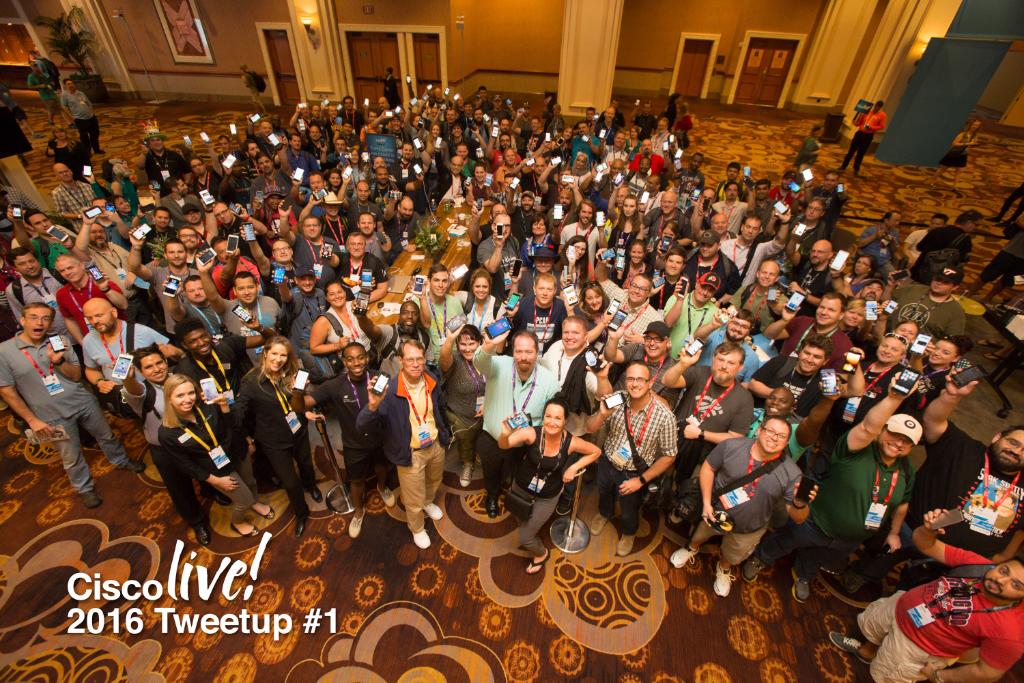
Some of the fellas had been playing so we decided to give it a try too. You know what they say, “If you can’t beat em, join em,” or “You gotta catch em all,” or something like that. After a few minutes all of us that had gathered at Social Media Central were herded together for the opening “TweetUp” picture.
Cisco Live TweetUp…See if you can find me
After our picture, us wifi guys decided to hit up Cantina for some Mexican food. After some good conversation, catching some more Pokemon, and eating some tacos, we decided to hit the strip for awhile before retiring to our rooms to get some rest for the first day of Cisco Live!
Monday
First session with Jerome Henry
I awoke Monday morning still fairly tired. I still wasn’t used to the time difference but it didn’t make much of a difference because I was excited to begin my sessions. My first session was “Design and Deployment of Wireless LANs for real time Applications” with Jerome Henry. It was here were I was also first introduced to the one they say is from Saskatchewan, Brennan Martin. Jerome offered up a great session. He gave many real life examples of client TX power, designing cell sizes, etc.
After the first session Rob, Brennan, and I made our way to the opening keynote with Chuck Robbins. Chuck did a great job of inspiring us to be awesome and buy more Cisco stuff. After the opening keynote we proceeded to the World of Solutions area for the first time. Upon entering World of Solutions your senses are immediately stimulated by the very large booths, bright lights, and piles and piles of swag. I would venture to say that I collected most of my swag on the first day. My newly acquired Cisco Live backpack was nearly full by the end of our visit that first day. I didn’t get to spend a great deal of time at WoS on the first day because I scheduled my exam for that afternoon. Feeling pretty good about my previous day’s review, I strolled down to the exam area to give the “Conducting Cisco Unified Wireless Site Survey” exam the good ol’ college try. The exam area was very well organized and the helper people were well prepared. They quickly got me registered and my photo taken. I was then ushered to my testing workstation where I began my exam. I felt great during the exam because I had realized that the previous day’s review was just what I had needed. I finished up my exam and realized my confidence had proven true. I passed the exam!
I met back up with the fellas and proceeded on to the second session of the day, “7 Ways to Fail as a Wireless Expert” with Steve Heinsius. Here is a link to his presentation:
After a great session by Steve we made our way back to World of Solutions. We visited and met new friends at the NetScout booth where we drooled over the new AirCheck G2. If you haven’t heard of or read up on the Aircheck G2, do yourself a favor and do some research. The device is amazing. In the couple weeks since Cisco Live I have met with a rep and we are checking into purchasing one for ourselves. While at the booth we met the lovely Kendall Hershey who is the creative genius behind the tweets of the NetScout Twitter handle. We tried to convince Kendall that we were big time bloggers and that we would write all about the AirCheck G2 if we were given one to test. ***The jury is still out on whether or not it worked***. All in all, the whole gang at the NetScout booth was great! We continued our stroll around WoS collecting more and more swag. We stopped to take a break at one of the many small tables around the area where we found ourselves chatting with another lovely lady who we discovered was the voice of the Cisco Twitter handle, Laura Babbili.
Laura, Rob, and me…Brennan behind the camera
We talked with her for awhile, discussing the ins and outs of being in charge of such a prolific social media medium. We may or may not have also tried to get her to specifically mention us from the Cisco Twitter feed. Either way, we still liked meeting Laura! We cruised around WoS for a little while longer before finally heading to Ri Ra Irish Pub for some more socializing. Overall, a great start to Cisco Live!
Tuesday
Tuesday’s sessions began with “Understanding RF Fundamentals and Radio Design for 802.11ac Wireless Networks” featuring Fred Niehaus. My new friend Rowell and I were in a live tweet war during the session.
Rowell and me
Both of us trying to bring you the cutting edge information that Fred was speaking about. Fred is a legend in the wifi industry. It was great to hear his take on the technology and how it began and how far it has come. It turns out Fred is also a fellow amateur radio operator. Fred spoke about operating modes, the evolution of radio technology, micro vs macro cell, FRA, and the very cool new DART connector.
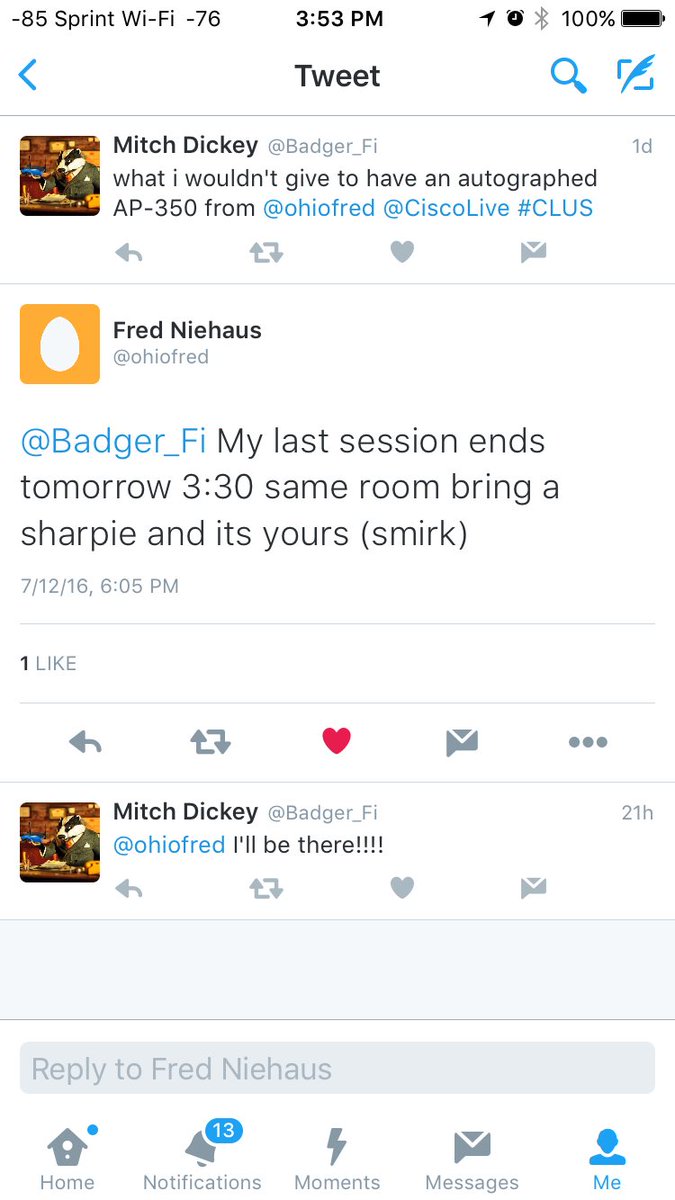
Fred showed us very early versions of wireless access points. He demonstrated how durable they were built. He used an old Cisco Aironet 350 as an example by dumping water on it and throwing it across the room. He also had some early versions of the most recent Cisco 3800 series APs. At the end of the session I threw out a frivolous tweet to have an autographed Aironet 350.Needless to say, Fred delivered by answering me later in the evening.
Rob, Jerry, Rowell, and Brennan talking Ekahau Site Survey
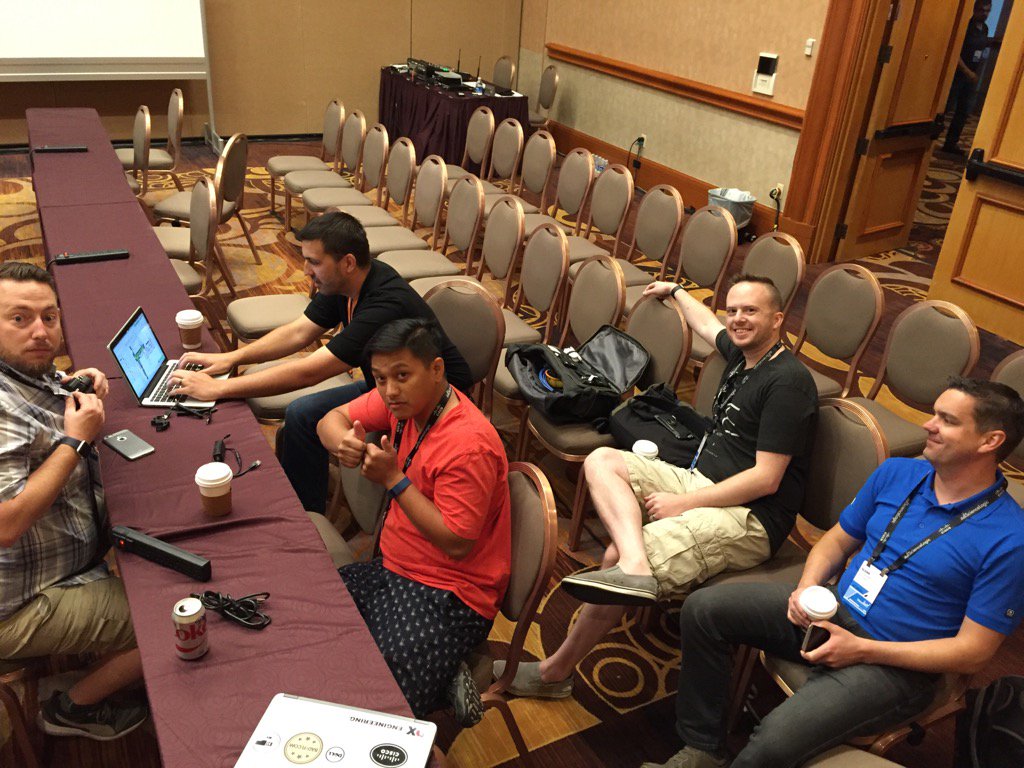
After the session we met up with Ekahau’s very own Jerry Olla to talk Ekahau Site Survey. He wanted to meet with us and discuss how we were using ESS, what we liked, and what we thought might need attention. He also showed us some cool toys he had been playing with in his spare time. It is quite remarkable what Ekahau does for the wireless community. Not only do they make an OUTSTANDING product, but they also reach out to the community for feedback. This is what I think makes Ekahau so great! They are always willing to hear our voices and take our requests very seriously. They continuously strive to make the ESS experience better. They truly are an example of a customer first company that designs a product that makes their customer’s jobs easier. If you don’t use Ekahau currently, I strongly recommend reaching out to them to see what they can do to help you. They are first class…even if they make you eat their “candy.”
After meeting up with Jerry, the small group of us returned to World of Solutions to meet up with the Ekahau folks manning the booth.
Brennan, Me, Jussi, and Rob
We had heard that they were handing out “special swag” to people who were giving ESS testimonials so we needed to get in on that action. It was great to meet Jussi, Hannele, and Anastasia in person. My apologies (on Rob’s behalf) for nearly taking down your booth :). Here is Rob and Brennan’s first attempt that did not make the cut:
Here is the testimonial that did make the cut (thanks to Hannele for the great camera work):
https://youtu.be/3J0Ociek2XM
Like I said in the video, I will not hold it against Jussi or Ekahau for the assault on my mouth that their Finnish candy did.
After Rob nearly destroyed Ekahau’s booth and we gave our interview, we headed towards the lunch area but were quickly side tracked be a huge line that was weaving in and out of the conference area. It turns out that Cisco Live was handing out a Raspberry Pi Zero to everyone during that time.
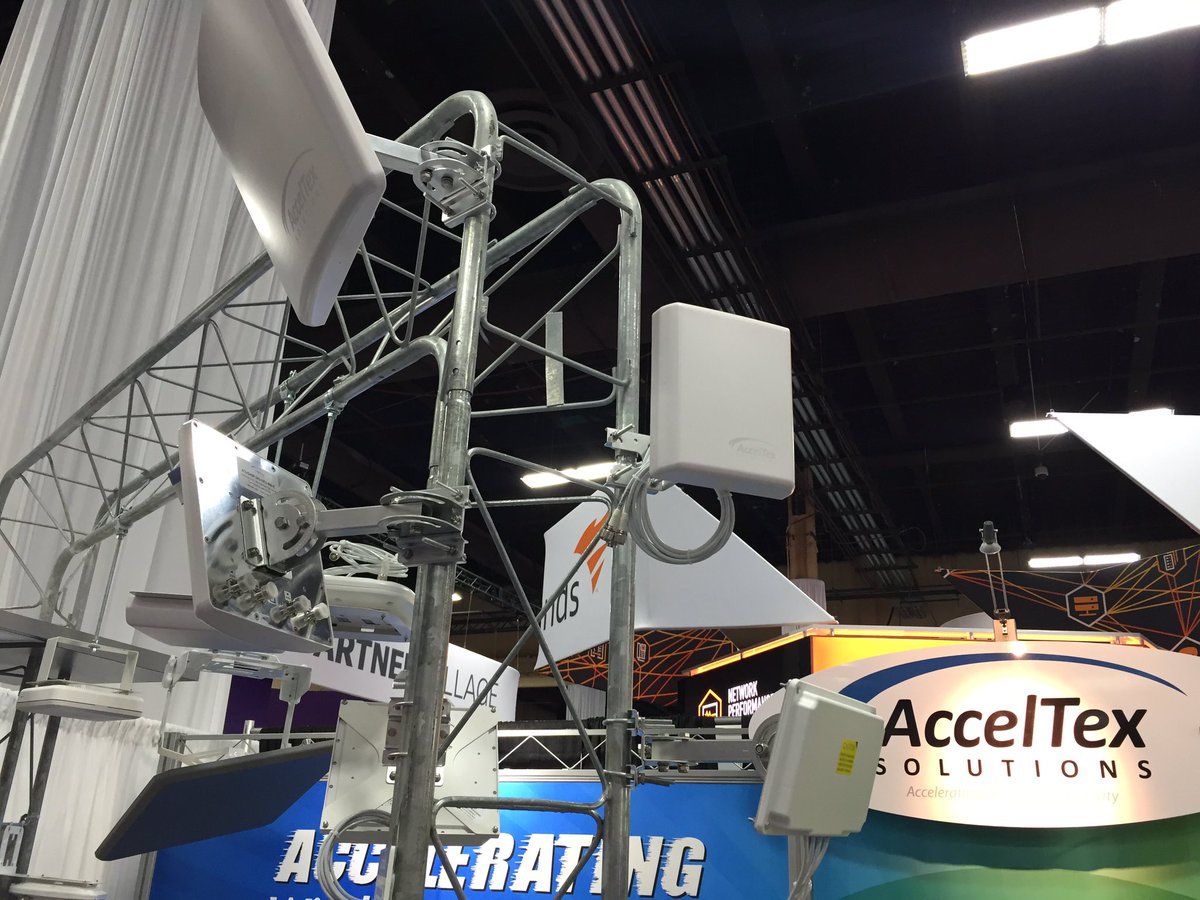
After we picked up our Pi Zero and grabbed some lunch we continued through the World of Solutions area. Our first stop was at the AccelTex booth were we visited our boy Brian Smith, or Smitty as he is more affectionately known.
AccelTex booth
I’ve known Smitty for a couple of years now and use his antennas pretty much exclusively. AccelTex definitely has an antenna product line worth checking into. They have an antenna solution for any scenario. After spending some time hanging out with the AccelTex folks we moved along back to the NetScout booth to visit with Kendall again. Rob and I were still desperately trying to get some units to evaluate.
Hey NetScout…Holler at your boys
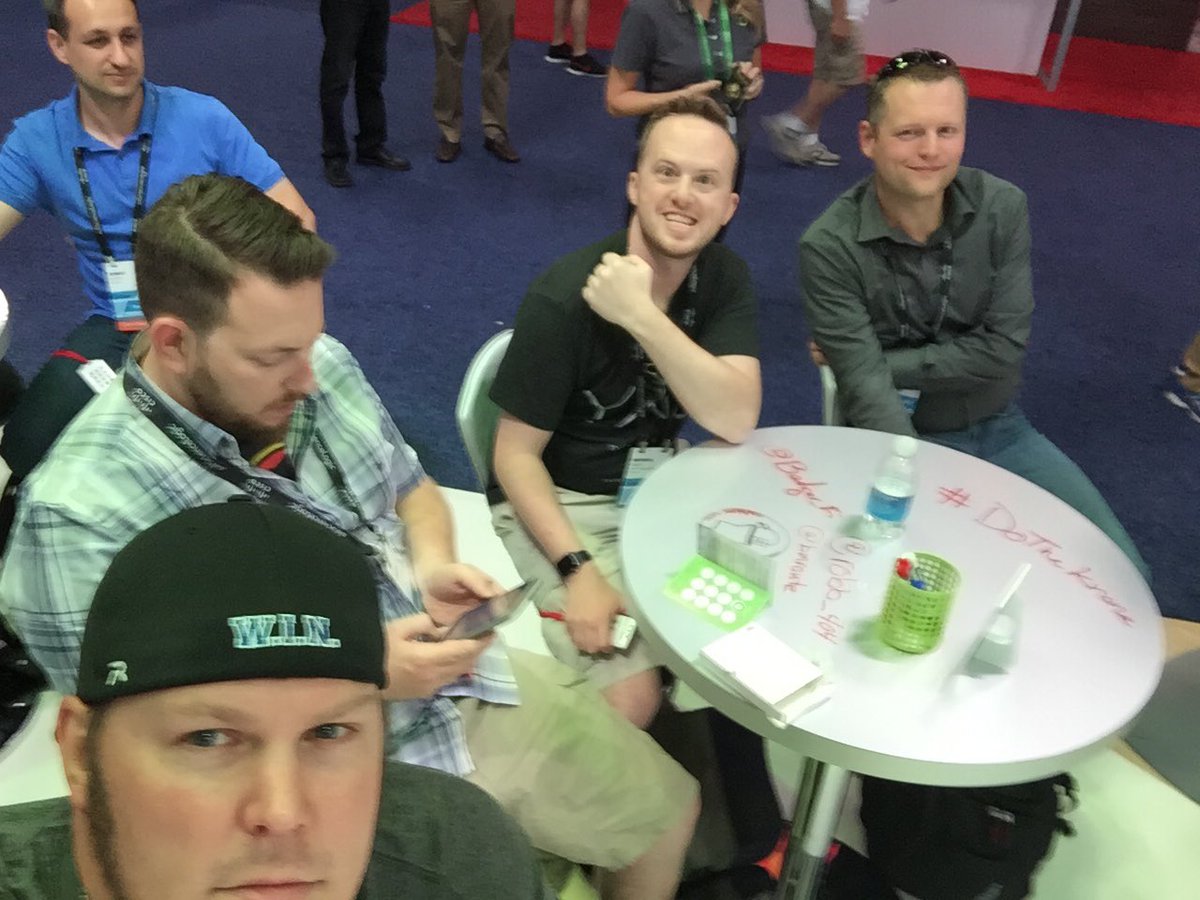
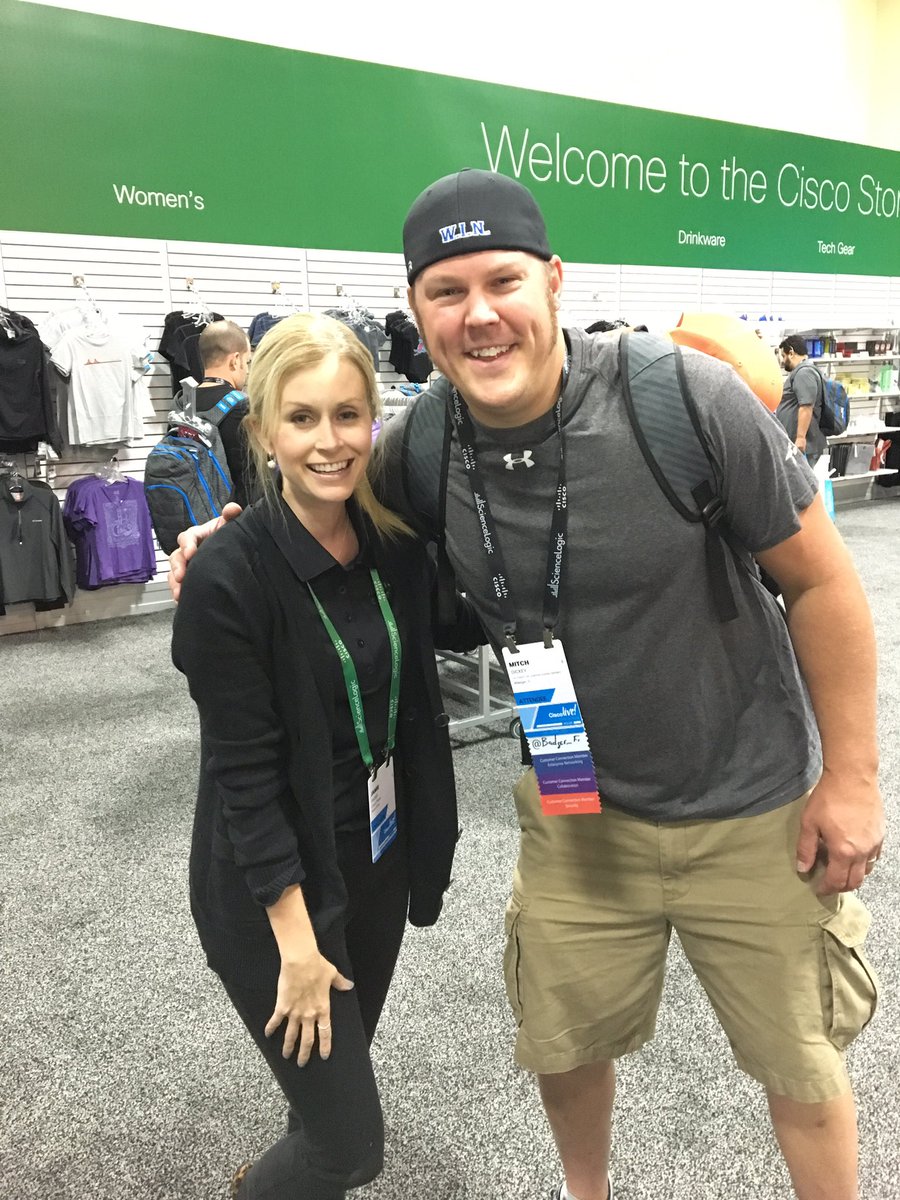
We decided to take the next best thing and listen to NetScout give a preso. We enjoyed the time so much we graffitied their table. After the presentation by NetScout we moved over to visit the fine people at Solarwinds. We talked with them for awhile grabbed some of their swag and continued on our journey. Rob and I decided to go check out the Cisco store and see what kind of gear they had. After all, my nine year old son asked me to bring him home a Cisco shirt (made a Dad proud).
Thanks for being part of my Cisco foundation, Jamie!
I was on a mission to meet someone who has been part of my Cisco journey since I decided to start down the Cisco road back in 2007. Jamie Shoup has been an awesome resource for Cisco Press information and has allowed me to review several Cisco Press books (I swear I will write some feedback one of these days). When I found out I was definitely going to Cisco Live this year, I knew I had to make it a point to meet Jamie. She was one of the first people I met along my Cisco journey several years ago. Meeting Jamie was truly one of the coolest parts of going to Cisco Live.
As you can probably already tell, the group of us wifi guys are heavy on the social media. It was pretty cool early in the week when we began to notice that we were making an impact with the Cisco Live social media people. We frequented their area several times throughout the week and appreciated them interacting with us on a regular basis. As you can see there were several people that had the responsibility for keeping the social media flowing for the @CiscoLive Twitter handle. They did an exceptional job keeping people apprised of events and interacting with people who were active on Twitter. Kudos to this group of people…Cisco, you should pay them more.
Another cool part of my Tuesday at Cisco Live was running into Marcus Barman. As many of you already know, I do not use Cisco wireless products at my day job…(yeah, I know…). I became known as #MeruMitch amongst my peers at Cisco Live. Yup! I am that guy. The Single Channel Architecture guy. You can hold the commentary because I have probably already heard it :). Anyway, I digress, Marcus and I have been interacting with one another on Twitter for a few years because he was, what seemed like, the only other guy in the world that used Meru (I know there are more but the SCA guys don’t seem to be very vocal\social). As I was walking through WoS I received a tap on my shoulder. I turned around and found Marcus who said, “Aren’t you that Meru guy?” Yeah, it has gotten that far. I am “that Meru guy,” aka #MeruMitch. It was nice to meet Marcus because for a period of time it seemed like he was one of my only allies. After a brief chat and a handshake we continued on with our day.
CCIE party
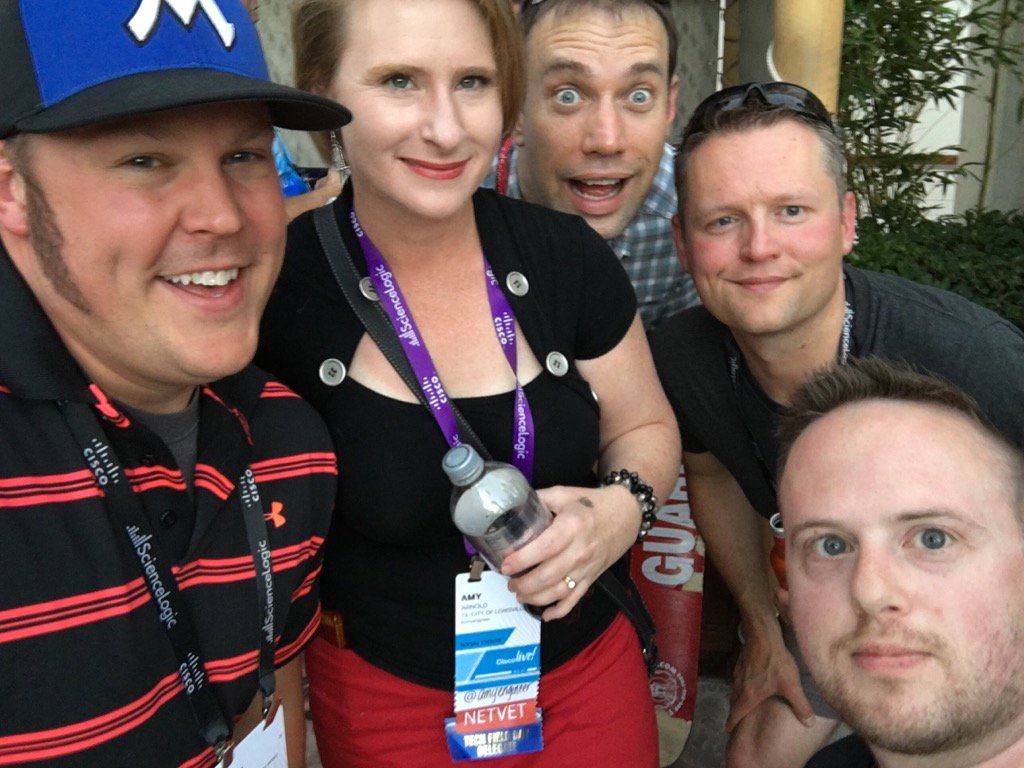
Every year at Cisco Live they put on a party just for CCIEs to attend. This year was no different. Although I had no plans on going because I am a lowly CCNA-W (aspiring CCNP SWITCH and Wireless), my good friend Sam asked me if I would like to use his +1. Of course I jumped at the opportunity to go rub elbows with the elite\famous network engineers. The party was located at the Hard Rock Hotel. When we arrived we grabbed some food and drinks and mingled with other engineers who we correspond with on social media. It was here that I had the pleasure of meeting Amy Arnold . Most of you know her as amyengineer .
Me, Amy, Steve, and Brennan…I may have stole this picture from Brennan
She referred to me as “that funny guy” which made my evening.
Nice to meet you in person @amyengineer ! Thanks for thinking I am "funny" 🙂
After a little more socializing and food we decided to move on to the next event. Before we left the CCIE party we had to do one more thing. We had to get our picture taken in front of the green screen.
Me and the Canucks
This photo was titled, “This is what happens when you hang out with Canadians.” The Canadians taught me many new things like what a Bunny Hug (look it up) is and the ins and outs of Canadian Football to name a couple.
We boarded the bus and headed back toward the strip where we continued on to the Cisco Canada party. Yes, you read that correctly, I had to act as if I said words like “eh” and “Saskatchewan.”
Canadian tacos?
I was looking forward to sampling such local delicacies like Poutine, Molson, Canadian bacon, and Maple Syrup, but instead I found tacos, stuffed potato skins, and hot wings. Not what I expected, but satisfying nonetheless. And that was my Tuesday. After writing this I realized that Tuesday was my busiest day. I have to admit I didn’t think my days would fill up like they did. It was a pleasant surprise!
Wednesday
After my previous big day, Wednesday settled into a nice slower paced, but full day. I started my day by attending a session by Jim Florwick entitled “Improve Enterprise, WLAN Spectrum Quality with Cisco’s Advanced RF Capabilities.” Here is a link to his session presentation:
After Jim’s session we made another quick trip to World of Solutions. WoS was typically our hangout between sessions. We also took time to grab some lunch.
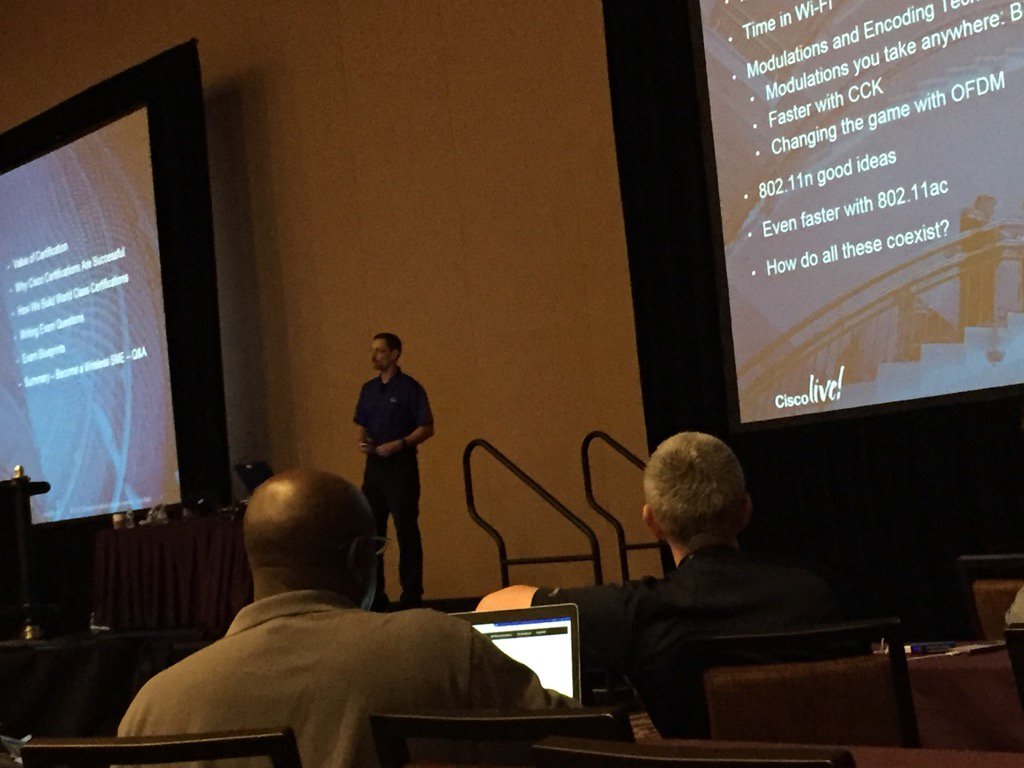
Jerome presenting
The second session of the day was another presentation by Jerome Henry. Jerome presented “CCNA Wireless, Master the 802.11 Protocols.” You can view his presentation here:
Although I have already achieved CCNA Wireless, I could not pass on the opportunity to listen to Jerome speak again. He gives a great presentation and you will learn something regardless of your status. I ended up having to leave the session early because I had to go pick up my autographed Aironet 350 from Fred Niehaus.
I was pretty excited to meet up with Fred and talk amateur radio with him for a couple of minutes and get the autographed AP. I arrived back where he was presenting his session just in time for it to let out. He was talking with some fellow attendees so we waited patiently. Brennan suggested that I go pick the Aironet 350 up off of the floor because Fred had dumped water on it and tossed it again. I found it leaned up against the front wall.
Autographed Aironet 350 from Fred Niehaus
I finally got a chance to meet Fred. He saw me walking towards him with my Sharpie at the ready so he knew what I was after. We talked for a few minutes about amateur radio and had a nice eyeball QSO. You can tell Fred is one of those guys who you can just sit and listen to him talk and learn a ton of stuff.
On our way back from our last session of the day we again collected near the Social Media Central location. It was here where I had a chance to meet Stephen Foskett. He is one of the fellas behind Tech Field Day which is an event where vendors entertain delegates with presentations based on their products. Tech Field Day is divided into sub-categories of which mobility (wireless “stuff”) is one. The presentations usually spark great conversation. Stew introduced Rob, Brennan, and I to Mr. Foskett and we let him know our interest in becoming a delegate for Field Day. I know we all look forward to potentially being picked to be a delegate for Mobility Field Day.
Brennan, Rob, Steve, and me
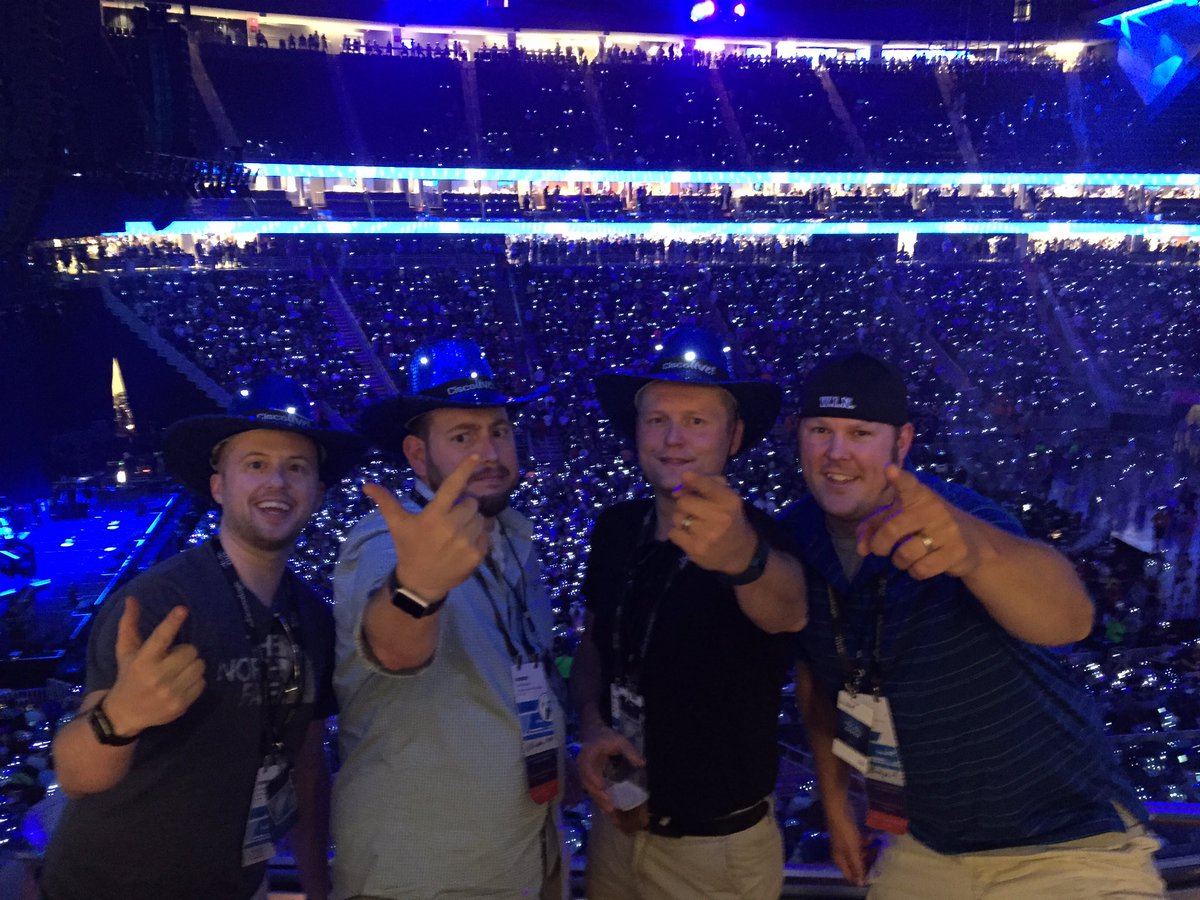
Wednesday night was going to be a big night for us. We had the Customer Appreciation Event at T-Mobile Arena where Elle King and Maroon 5 were set to perform. After the CAE we were going to attend a live Whiskey and Wireless show.
Stew hooked us up with tickets for a suite which was loaded with food and drinks. We had a great view of the stage and enjoyed several songs by Elle King. We had to peace out early to get back in time for the Whiskey and Wireless show so we didn’t get to see Maroon 5. We hustled back to Mandalay Bay because we were running a little behind. We arrived a few minutes late…then it happened. Sam saw that we had arrived and he called out to me to come sit with them at the table where the recording was taking place.
Getting ready to take my medicine
I knew what was about to happen. It was time for the world to know. It has been mentioned a few times that I should speak on how Meru and it’s single channel architecture work for us. I have been nervous about this because I know the strong feelings of some about Meru.
Hey that guy (Robert Bartz) over there gets it!
I wasn’t nervous anymore so I poured myself some whiskey and hoped to not sound like an idiot. The podcast will be released soon and I am excited to see how I did. The unedited recorded stream was up for a day or so and I received some positive feedback on it so I think I did ok. Thanks to Sam and Ryan for having me on and for not being to hard on me. Special thanks go to Robert Bartz for the encouragement to speak on the topic. I stuck around to listen to the rest of the show and I am glad I did. Sam and Ryan do an excellent job of entertaining and talking wifi at the same time.
Thursday
The last day of Cisco Live was upon us. I had two sessions remaining. The first session was “Advanced Wireless Troubleshooting” with Tim Smith. The presentation can be found here:
After the session Rob, Brennan, and I decided to hit up 5.11 Tactical to check out their gear. We grabbed an Uber and headed off strip. I wanted to check out their satchel offering, and an offering they did have.
Sweet Canadian flag patch, eh?!?!
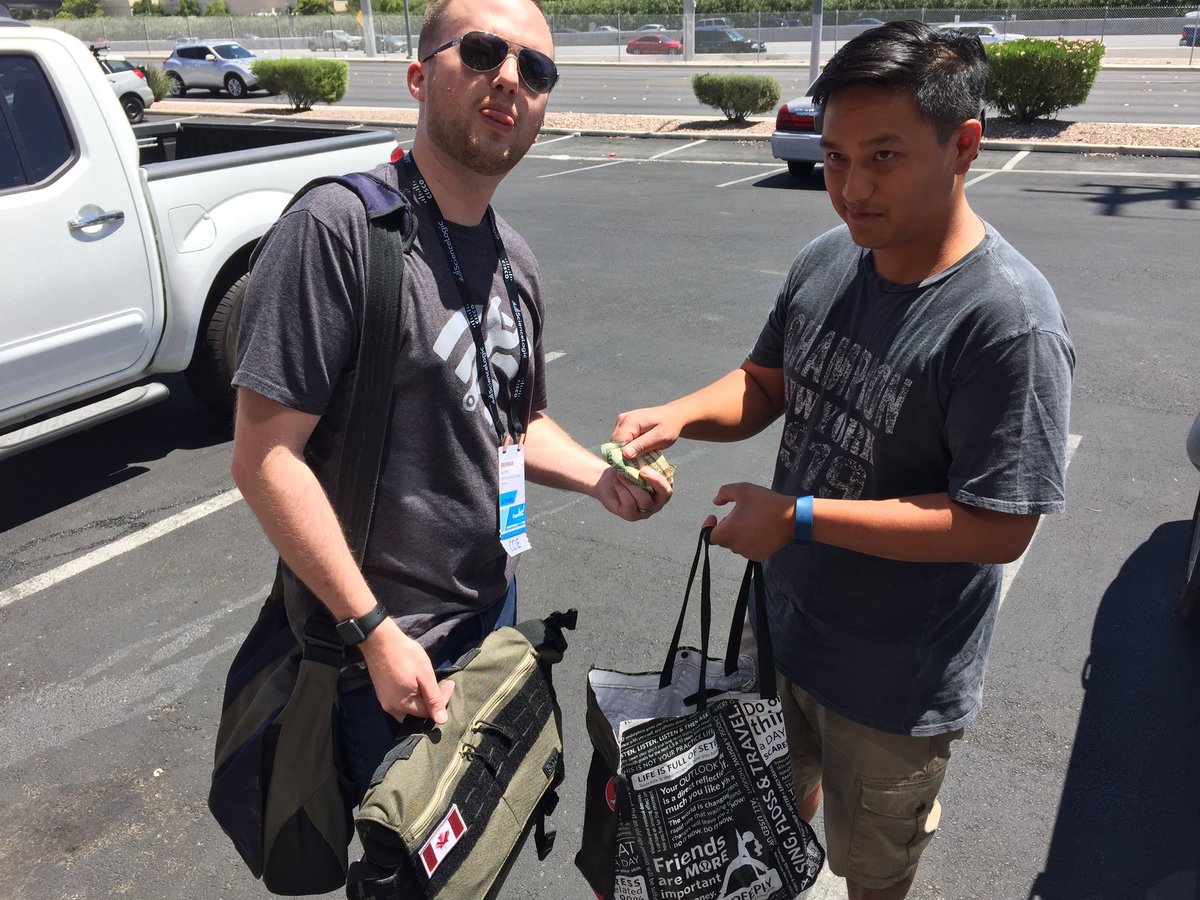
Brennan and I both picked up a new satchel and then we met up with Rowell. Brennan and Rowell had a deal to make and the transaction happened in a fairly empty parking lot in Vegas…that is all.
Its Peter Jones!
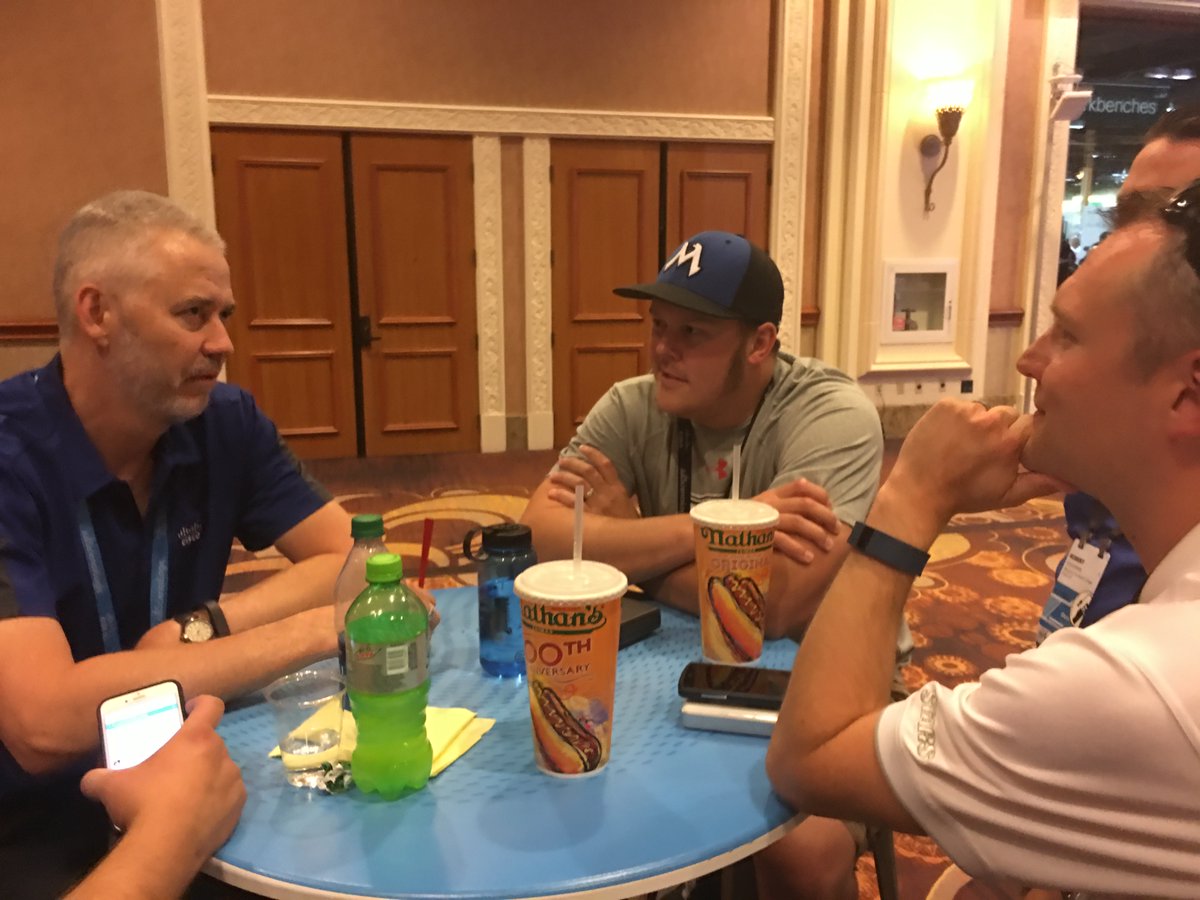
After the deal was done we grabbed another Uber back to Mandalay to have some lunch. We decided to get some food from Nathan’s Hot Dog stand. We picked up our food and decided to eat back at Social Media Central. We tore into our meals and then it happened. Peter Jones, Mr. Catalyst 3850, himself passed by our table. He stopped to talk with some other people but all of us noticed who was standing right beside our table. I waited for Peter to end his conversation and then we introduced ourselves. Our small talk quickly escalated and Peter began showing us all kinds of cool things about
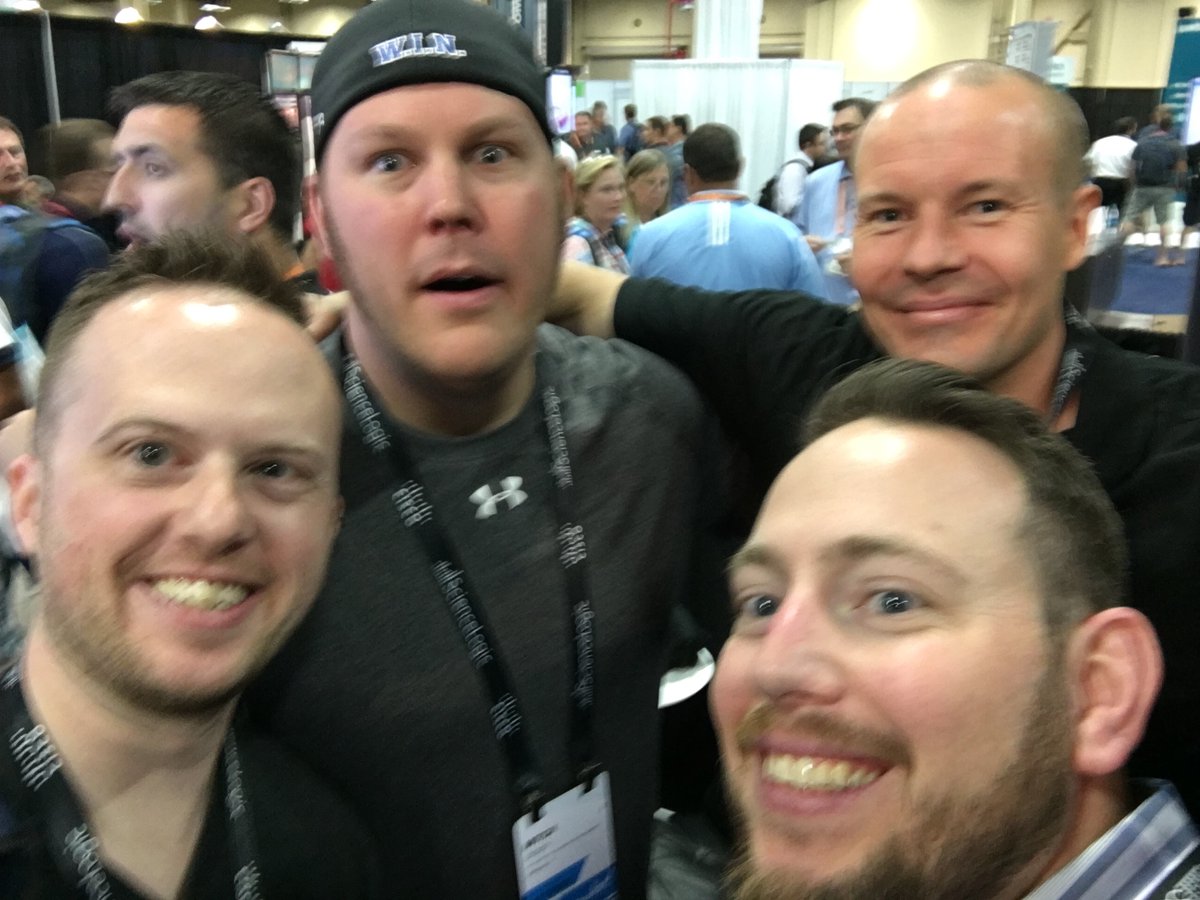
Peter, me, Rob, Steve, and Brennan behind the camera
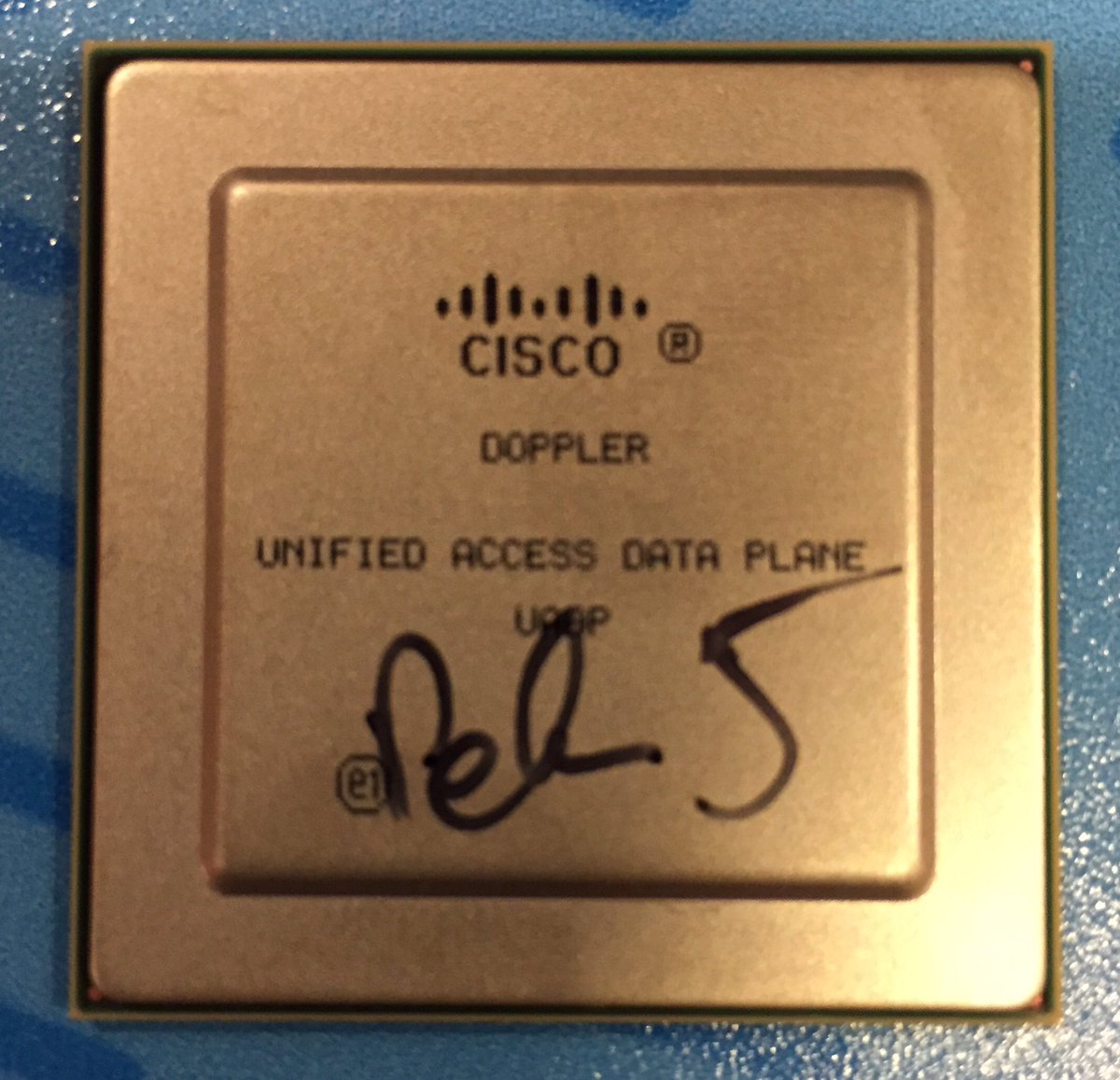
the IEEE Ethernet roadmap and explaining how the Unified Access Data Plan ASIC worked inside the Catalyst 3850. We were all hanging on to Peter’s every word. He was super interested in how we used the 3850 so we each gave examples of how we use the product. He was truly interested in how customers were using it. You could hear his passion for his work in the way he talked. He then reached into his backpack and pulled out a bag of loose UADP ASICS and gave us each one. Along with the autographed Aironet 350, this ASIC was one of the coolest souvenirs I got while at Cisco Live. Before I could even ask, Peter stopped me, pulled out his Sharpie, and signed the ASIC for me.
ASIC from Cisco Catalyst 3850 24 port
We talked for a good amount of time and before I knew it my next session was quickly approaching. I thought about it for a minute and decided to stay and hang out with Peter because it isn’t everyday you get to talk with a guy like him. The time that we got to spend with Peter talking about the 3850 was great but the coolest part was that he wanted to hang out with us at the closing keynote! We all had to go drop off our gear but agreed to meet back in the lobby 15 minutes later. We all walked together down to the closing keynote where Kevin Spacey was going to talk about story telling.
Me, Rob, Peter, Brennan, Stew, and Steve kickin at the closing keynote
While we were waiting for the keynote to begin, they were showing pictures from social media from throughout the week. We made the big screen a few different times. Brennan had an extra special picture show up on the screen. I hope he will write about it in his blog post. Kevin Spacey did a great job entertaining us. He was very funny and just listening to him speak so well made me think back to Public Speaking class in college.
After the keynote, the Canadians, Rob, and I departed for Gordon Ramsay’s BurGR for our final dinner together. Our food was great and we took time to reflect on the week and just hang out. Our boy Steve had to leave early to go meet his wife so that just left the three of us to go meet up with the rest of the gang and have one last drink together. We concluded almost right where we started, at Ri Ra. We met back up with Peter and had a drink. It was cool to just sit and have a cold one with my new buddies. We were all very tired and decided to turn in at a fairly decent hour to get rest for our travel home the following day. We said our goodbyes, shook hands, gave bro hugs and retreated back to our rooms one last time.
Friday
I woke up around noon which felt great! My flight wasn’t until later in the day so I was afforded some time to sleep in. I got all my things packed and met Brian down in the lobby. We met up with our driver Mark again who delivered us to the airport. When we arrived we realized our flight had been delayed an hour which really wasn’t a big deal. It allowed us a little time to relax before boarding the plane. I took that time to write down all the events of the week in a small notepad so that I wouldn’t forget all of the highlights. I am glad I did because it would have been tough to remember all of it. We eventually boarded our plane and had an uneventful trip back to Virginia. We arrived back at Dulles late in the evening. Brian and I said our goodbyes and parted ways.
Conclusion
I went to Cisco Live looking forward to learning a ton. I assure you I was not disappointed. What I thought was going to transpire was drastically different than what actually happened. I was still able to gain a bunch of knowledge and attend great sessions by leaders in the industry, but the biggest thing I took away was new friendships and solidified existing ones. These friendships will last for my entire career and maybe longer. The wifi community has something special going on. It is really hard to explain until you experience it first hand. Everyone wants everyone else to be successful in their wireless endeavors even if you do it just a little different (#MeruMitch). The relationships in our community are very unique and I am glad to be a part of it. I am by no means a big player but I know I have certain areas where I can contribute for the betterment of the community. I only look forward to what further events will bring. Cisco Live was definitely a great way to begin what I hope will be many events to come. A special thanks to Sam for his help preparing me for Cisco Live and answering all the questions that I had. Also a special thanks to my new Canadian friends (Brennan, Stew, Steve) and Rob. You guys definitely helped make my week great. It goes without saying that I have a new appreciation for our Canuck neighbors to the north. Canada, I salute you! And last but not least, thank you to my management at Loudoun County Public Schools for affording me the opportunity to participate in an event that has been a dream of mine for many years.
 most any SFP module, a copper 10/100/1000 Mbps ethernet port and another USB port which can be outfitted with a wireless USB device. At the time of this post, the only wireless device that works with the unit is a single band Edimax adapter. There is no integrated wireless adapter. The power button is located in the same position as the AirCheck G2’s power button. Charging the unit is done from the same spot as the AirCheck G2 AND via POE over the wired ethernet port on the top of the unit.
 opens the LinkRunner’s native testing features. You will also notice that there is an App Store which is populated with a handful of familiar apps. I’ve been told that if there is an App that is not in the store, you can request it be added as long as it is free. Some of the familiar apps you will find are Microsoft Office, Wifi Analyzer, Meraki, UniFi, Aruba Utilities, and AirDroid to name a few.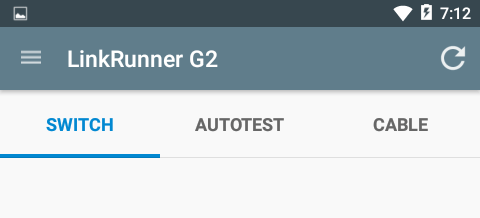



 good friends, listening to great presentations, learning a lot, and also presenting on a topic near and dear to my heart. I was able to put a lot more names to faces and have some great conversation.